> For the complete documentation index, see [llms.txt](https://docs.animaldietformulator.com/llms.txt). Markdown versions of documentation pages are available by appending `.md` to page URLs; this page is available as [Markdown](https://docs.animaldietformulator.com/members-area/product-and-subscriptions/ready-made-recipes.md).
# Ready Made Recipes
Re-download the Ready Made Recipes that you have purchased.
To access the ready made recipes, please be sure that you have signed in to your account.
{% hint style="info" %}
To log in with your account, follow the steps mentioned [here](/members-area/profile/login.md).
{% endhint %}
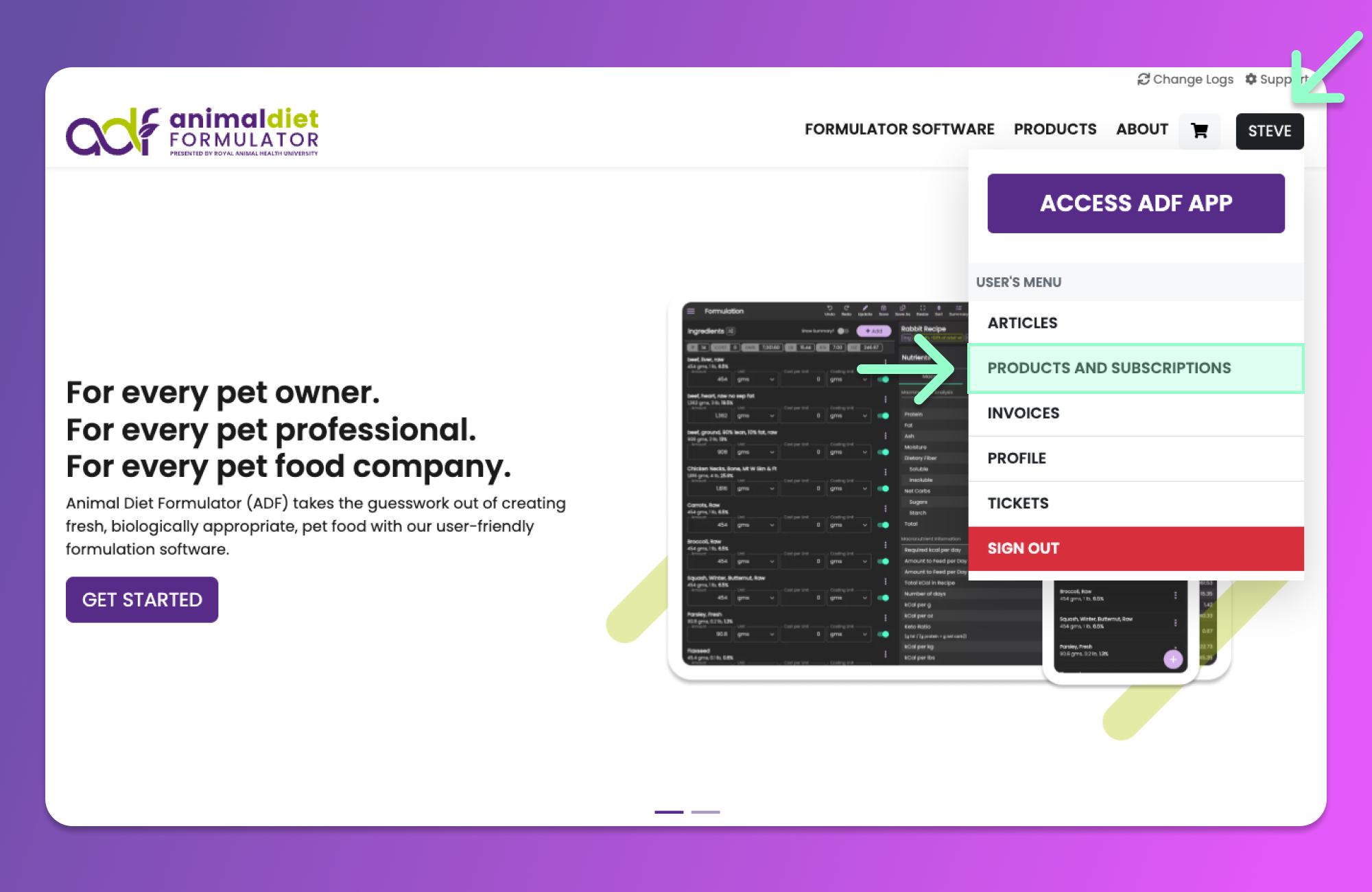
Access the User's Menu similar to the image below by hovering your mouse over your Name's button. Then click the "Products and Subscriptions" Menu item from the User's Menu.
{% hint style="info" %}
You can also access the User's Menu by going to the [User's Dashboard](/members-area/profile/user-dashboard.md).
{% endhint %}
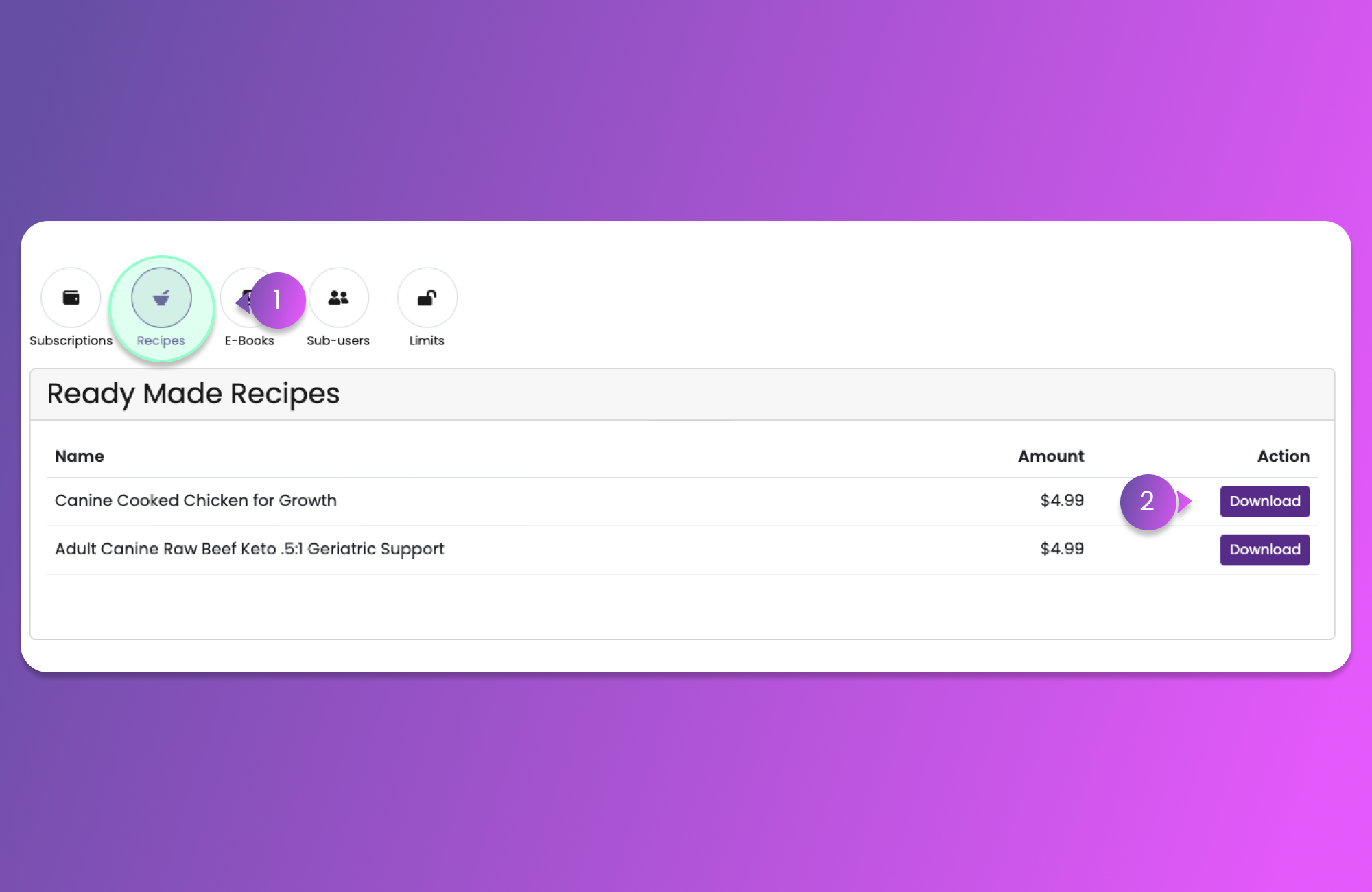
After clicking the Menu Item, you will be redirected to the Subscription Page. You can now click the Recipes button (Item 1) similar to the button below.
After clicking the "Recipes" button, you will be redirected to the list of Ready Made Recipes that you have purchased.
Each recipe will have their corresponding Download button for you to be able to re-download and print as desired.