> For the complete documentation index, see [llms.txt](https://docs.animaldietformulator.com/llms.txt). Markdown versions of documentation pages are available by appending `.md` to page URLs; this page is available as [Markdown](https://docs.animaldietformulator.com/members-area/product-and-subscriptions/adf-subscription/pausing-a-subscription.md).
# Pausing a Subscription
In this section, you will learn how to pause your subscription.
{% hint style="warning" %}
This feature is applicable for customers subscribed using Stripe only.
{% endhint %}
1. Submit a support ticket to confirm with our administrators whether you’re eligible to pause your subscription.
2. If you’re eligible, our team will notify you and provide details on how long you can pause your subscription. (Max. 6 months)
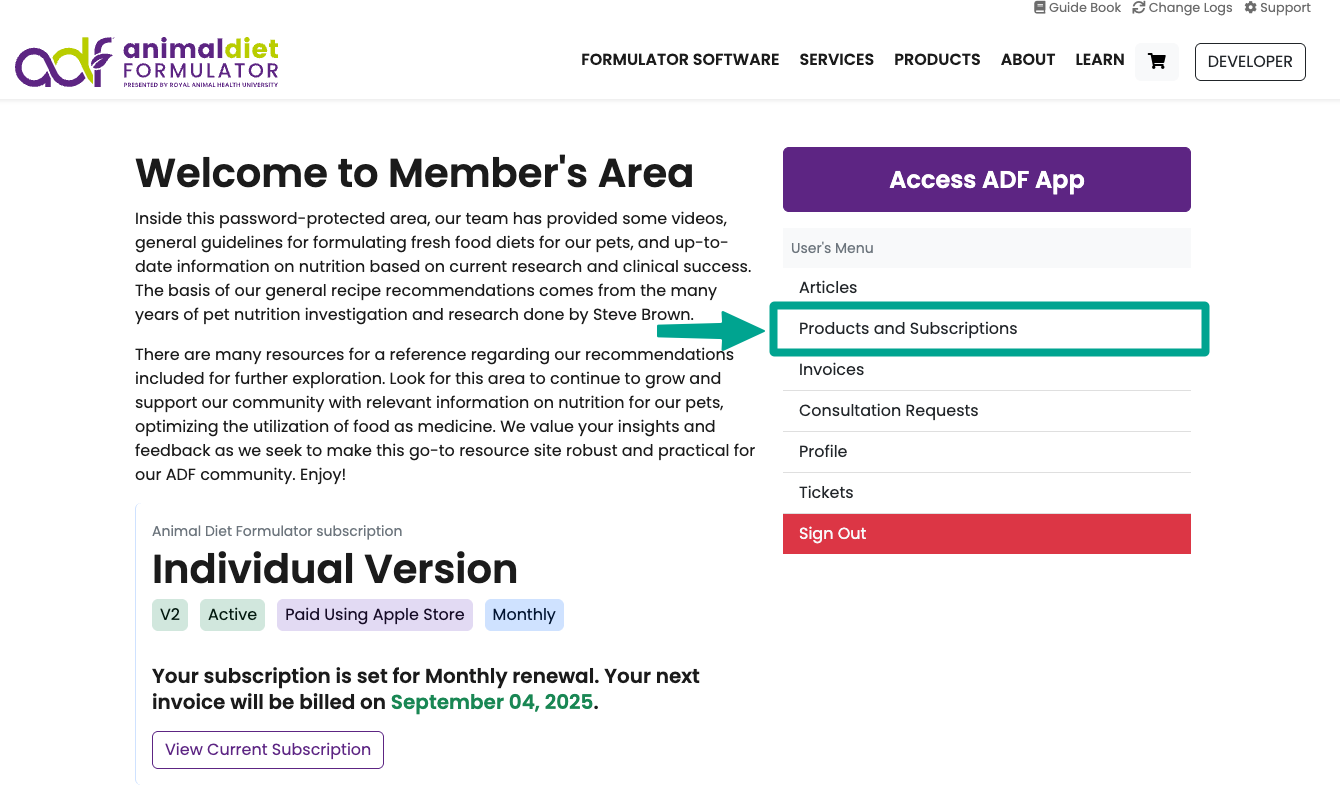
3. Once your request is approved, you can pause your subscription by going to your Dashboard, selecting the Products and Subscriptions tab
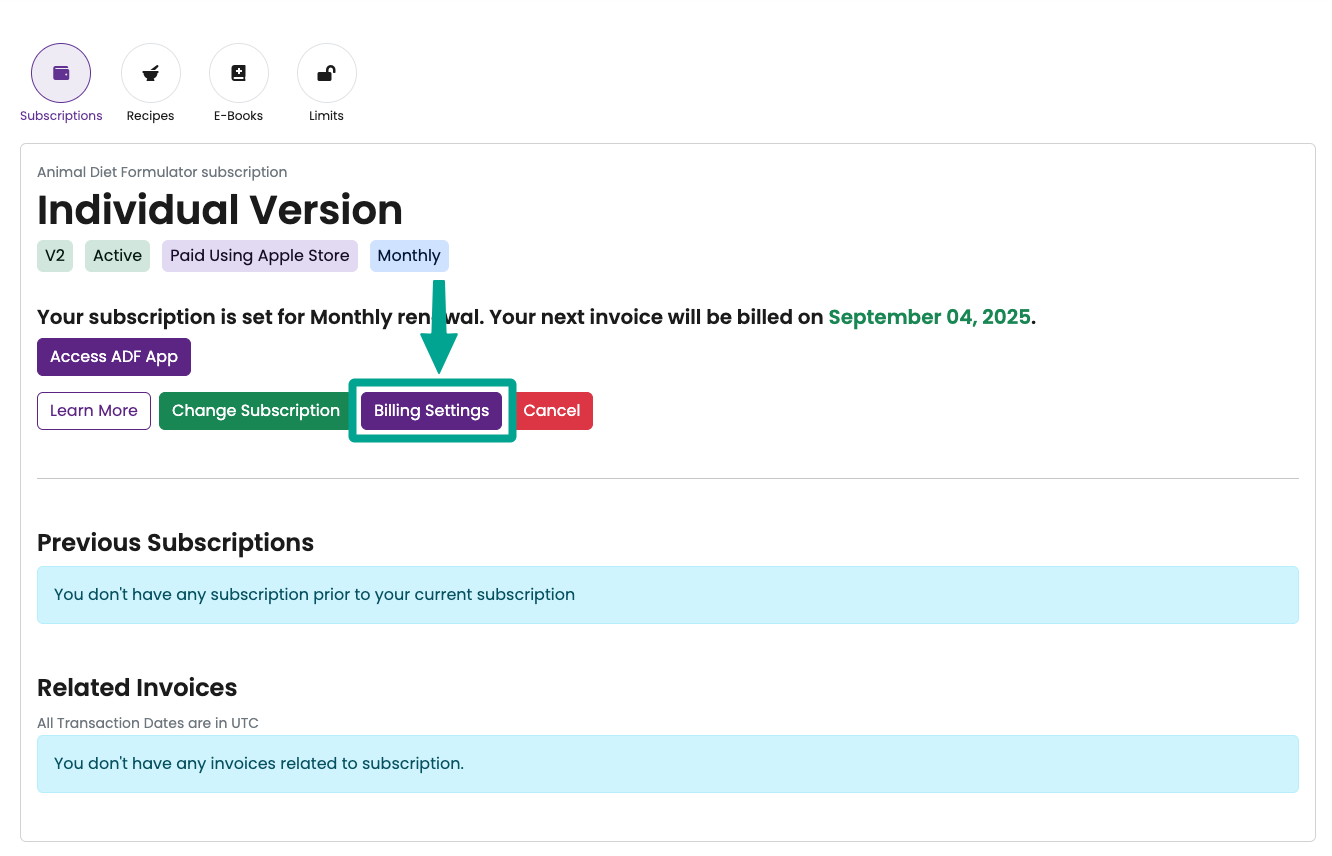
4. On the Products and Subscriptions page, click on Billing Settings
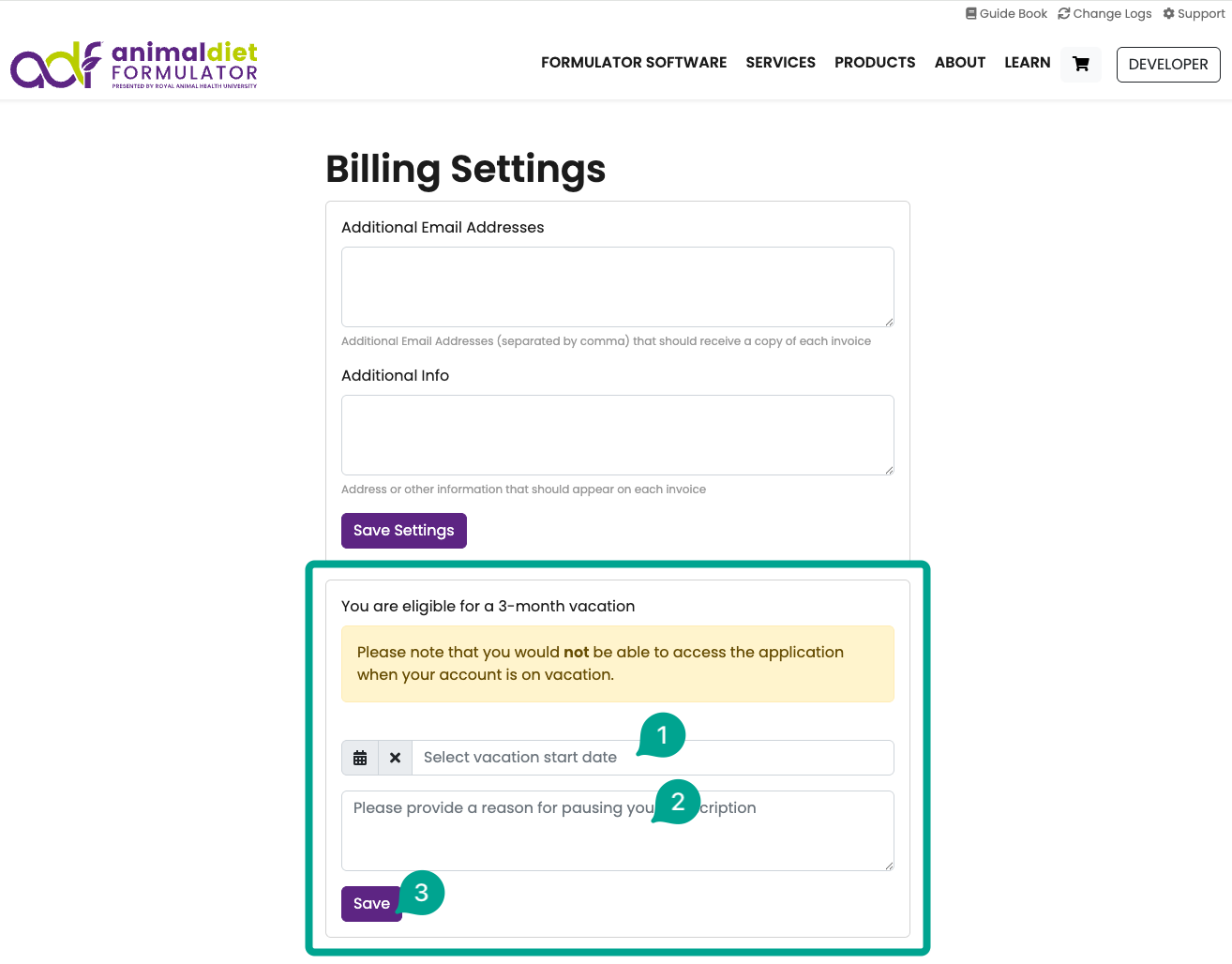
5. On the Billing Settings page, locate the section for pausing your subscription. Complete the required fields and click Save. Please note that while your subscription is paused, you will not have access to the software. Your subscription will automatically resume on the calculated end date.