> For the complete documentation index, see [llms.txt](https://docs.animaldietformulator.com/llms.txt). Markdown versions of documentation pages are available by appending `.md` to page URLs; this page is available as [Markdown](https://docs.animaldietformulator.com/members-area/affiliate-program.md).
# Affiliate Program
This section explains how the affiliate program works
1. To access the dashboard, login your account
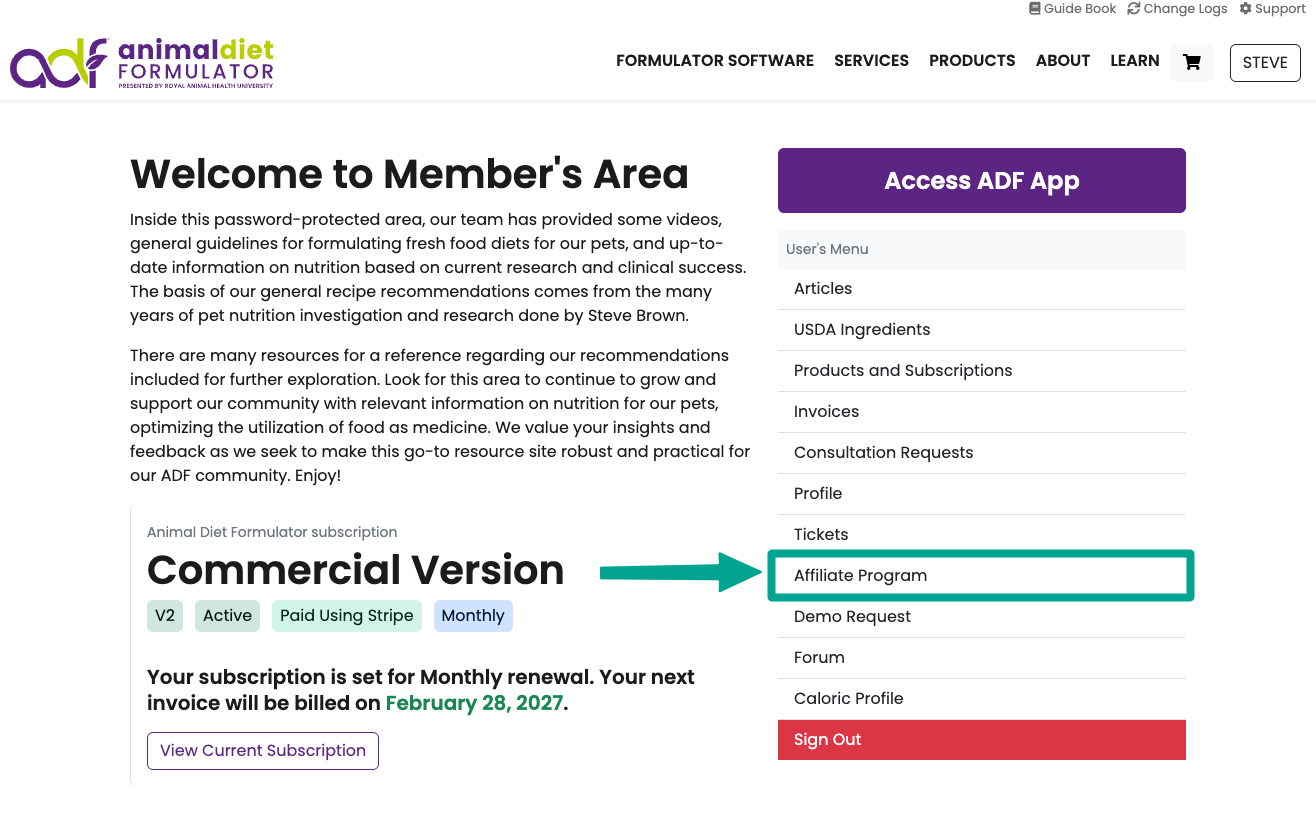
2. On the dashboard, click the **Affiliate Program** menu item
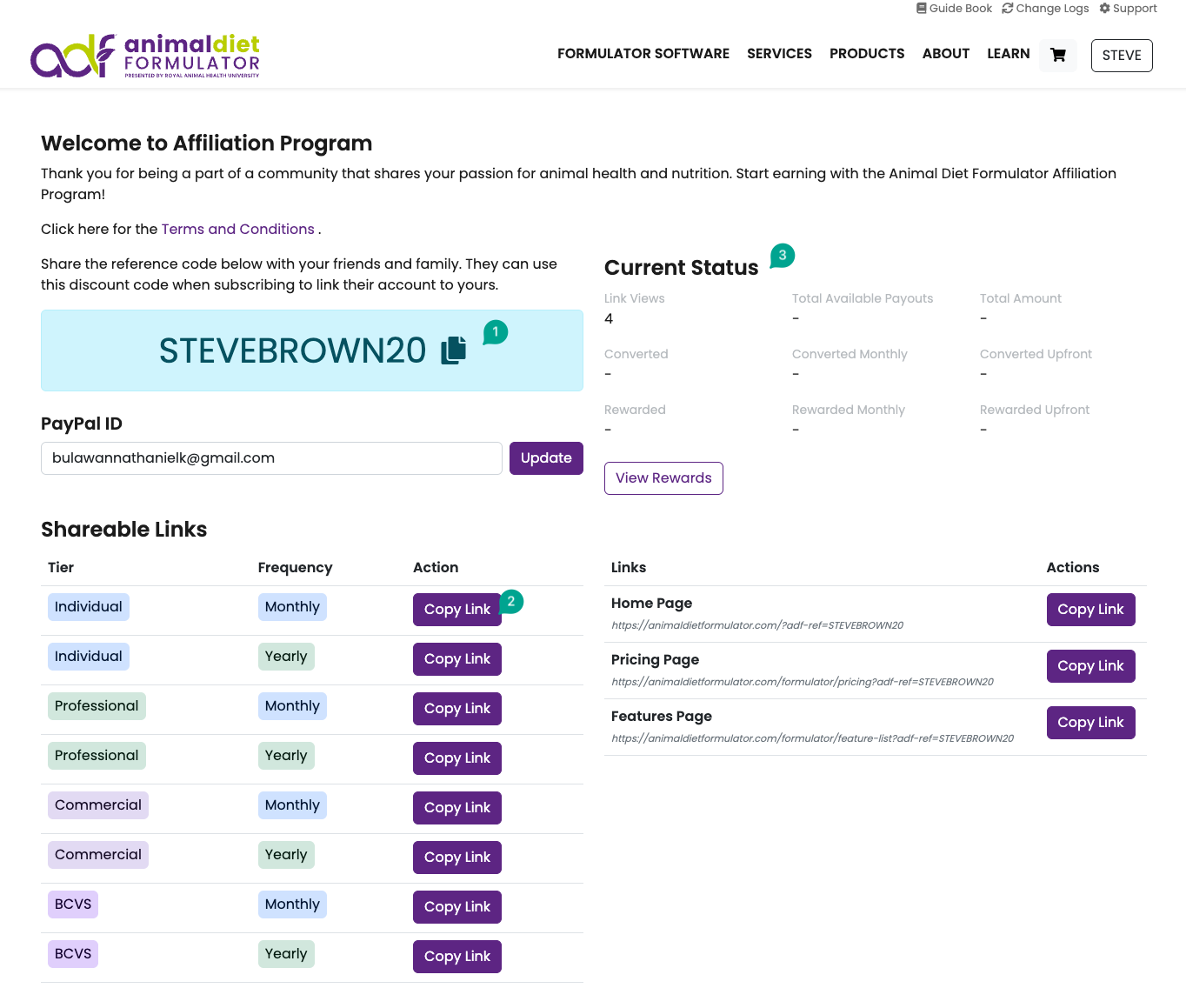
3. On the Affiliate Dashboard, you can see the following:
1. **(1)** **Your Referral Code**: Share it with colleagues, family, and friends so they can enjoy a 15% discount on any subscription tier they choose.
2. **(2) Copy Links**: You can also share these links—when used, they’ll take your friends directly to the subscription page with your referral code automatically applied.
3. **(3) Referral Status:** Track your referral progress easily — see how many people clicked your referral link, how many subscribed using your code, and view your reward and payout status.
4. **PayPal ID:** Your rewards will be paid via PayPal, so please make sure your registered PayPal email address is up to date and able to receive payments.