> For the complete documentation index, see [llms.txt](https://docs.animaldietformulator.com/llms.txt). Markdown versions of documentation pages are available by appending `.md` to page URLs; this page is available as [Markdown](https://docs.animaldietformulator.com/animal-diet-formulator/recipes/weight-loss-analysis.md).
# Weight Loss Analysis
Analyze the Recipe for Weight Loss purpose.
{% hint style="info" %}
This is for Professional and Commerical Subscription only.
{% endhint %}
{% hint style="warning" %}
Weight Loss is only available for Adult Dog/Cat activity levels. Learn more about activity levels [here](/animal-diet-formulator/recipes.md#creating-recipes).
{% endhint %}
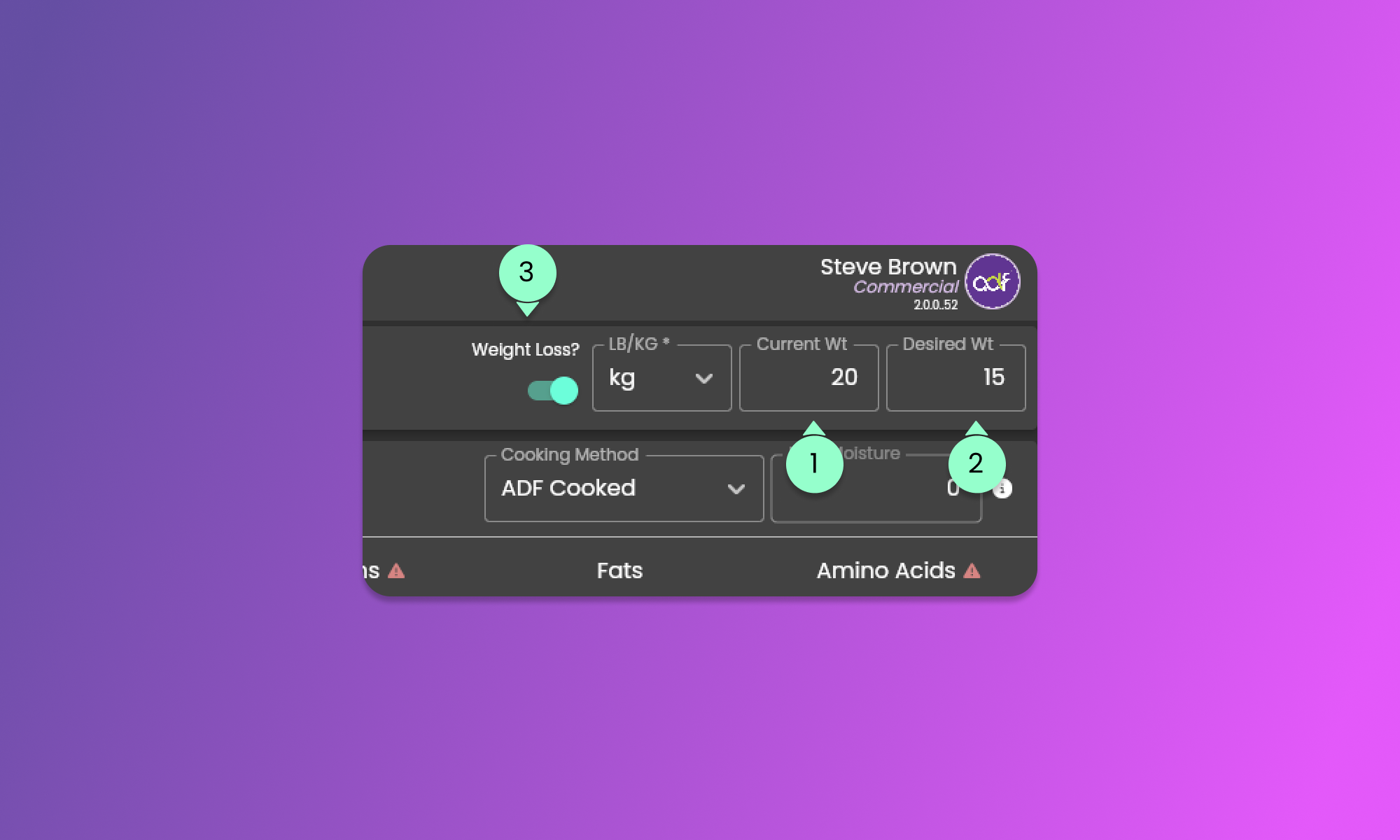
To activate the weight loss sections, be sure to provide the required information below.
1. Current Weight
* Enter the pet's current weight based on the selected unit (LB/KG).
2. Desired Weight
* Enter the pet's desired weight based on the selected unit (LB/KG).
3. Weight Loss toggle
* This toggle will be available if values exist and more than 0 for the Current Weight and Desired Weight fields.
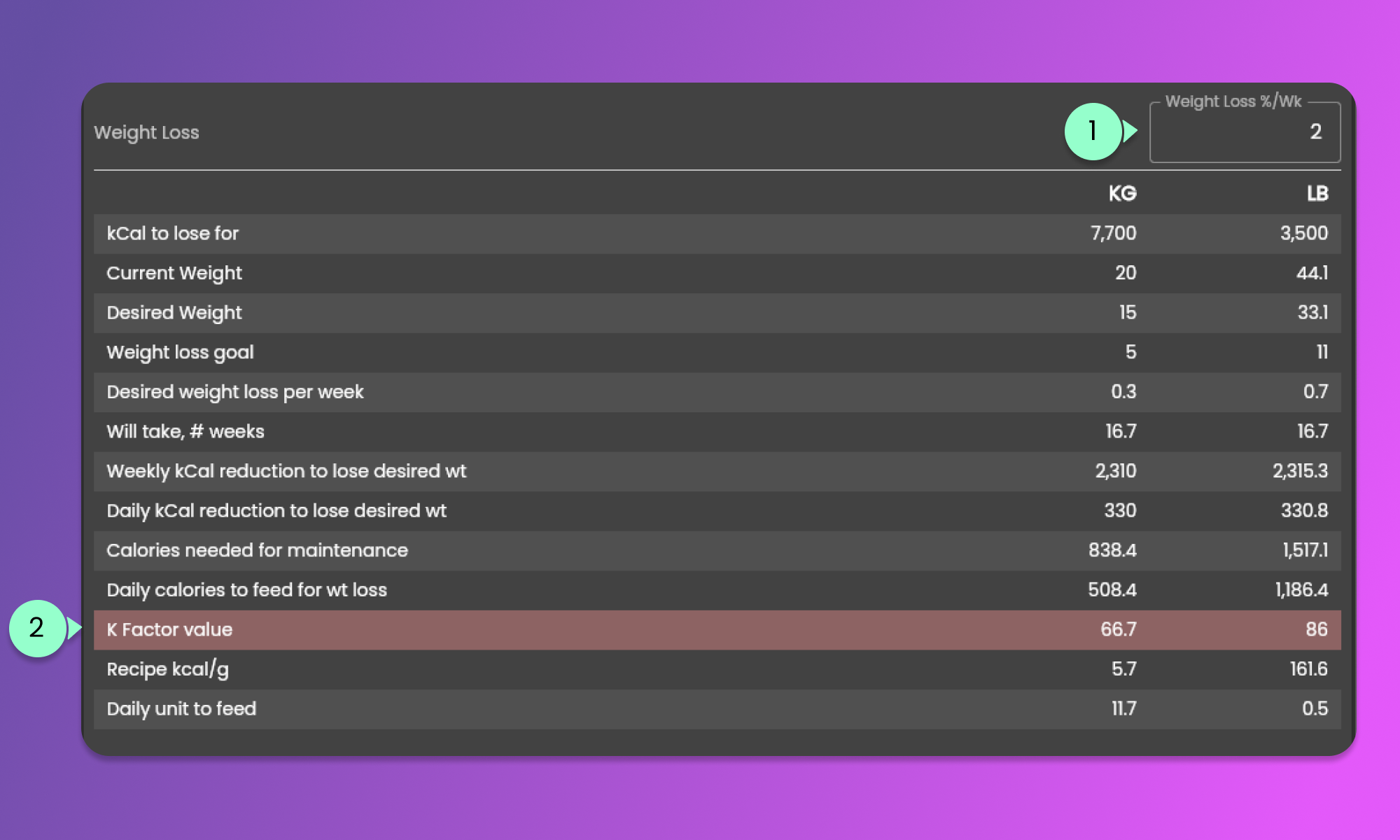
Once the Weight Loss toggle is turned on, the "Weight loss" section in the Macronutrients tab will be available. See the image below.
1. Weight Loss %/Wk
* Provide the percentage of weight loss per week that you want to analyze.
2. k Factor value
* This row will turn to red once the value is below the minimum required k Factor for Weight Loss.
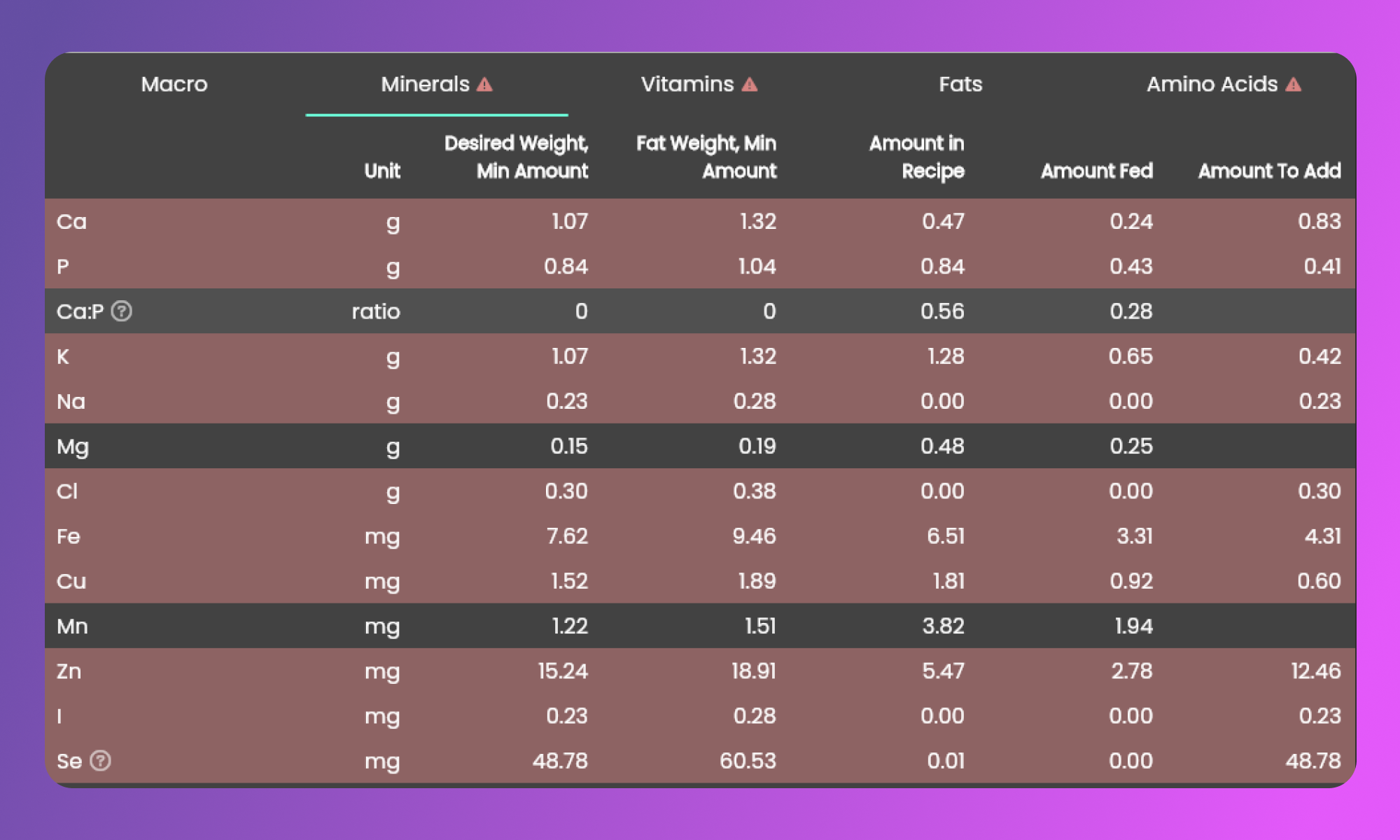
The micronutrient columns will also adjust once the Weight Loss toggle is turned on.