> For the complete documentation index, see [llms.txt](https://docs.animaldietformulator.com/llms.txt). Markdown versions of documentation pages are available by appending `.md` to page URLs; this page is available as [Markdown](https://docs.animaldietformulator.com/animal-diet-formulator/recipes/recipe-resize.md).
# Recipe Resize
We suggest formulating in smaller sizes and adjusting the recipe to the preferred size.
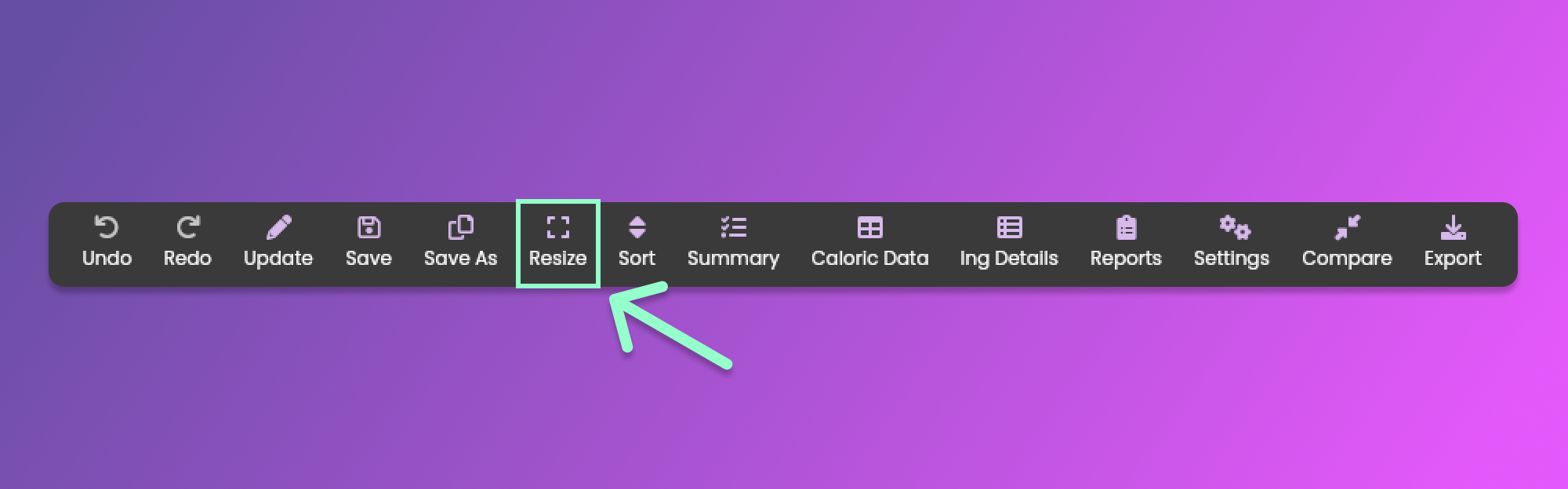
Resizing is a useful tool to adjust your recipe. To resize the recipe click the Resize menu item from the [Formulation Menu](/animal-diet-formulator/recipes/formulation.md#formulation-menu-section) Section.
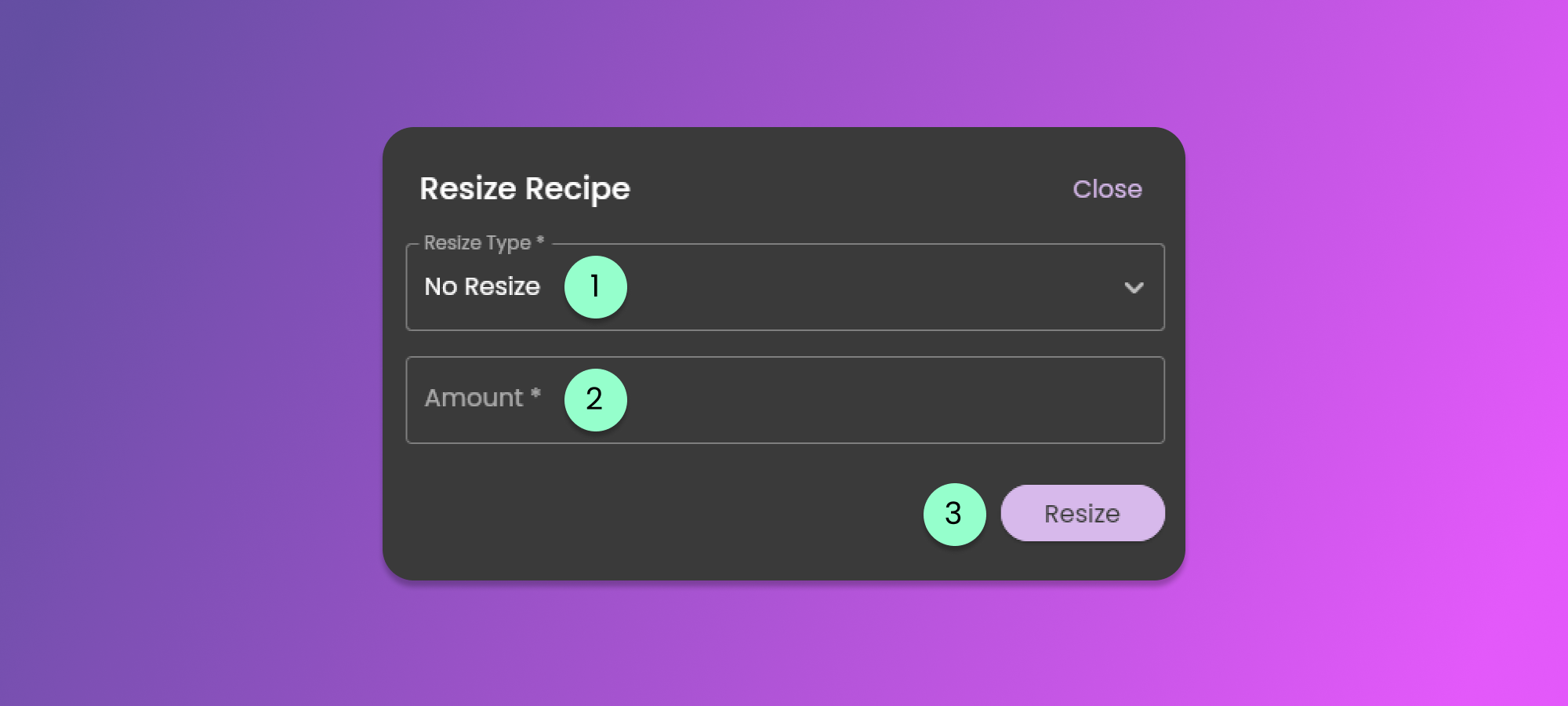
Clicking the button will show the Resize Form. See the image below.
1. Resize Type
* Clicking the button will show the options for resizing. You can resize the recipe by days, kCal, Grams, Kilograms, Ounces, and Pounds.
2. Amount
* Provide the amount based on the Resize Type.
3. Resize button
* Click the button after you have selected the Resize Type and you provide the Amount to resize.