> For the complete documentation index, see [llms.txt](https://docs.animaldietformulator.com/llms.txt). Markdown versions of documentation pages are available by appending `.md` to page URLs; this page is available as [Markdown](https://docs.animaldietformulator.com/animal-diet-formulator/recipes/ingredients-sorting.md).
# Ingredients Sorting
Ingredient Sort is a useful tool to order the ingredients according to weight or a custom order.
To sort the Recipe Ingredients, click the Sort menu item from the [Formulation Menu](/animal-diet-formulator/recipes/formulation.md#formulation-menu-section) Section.
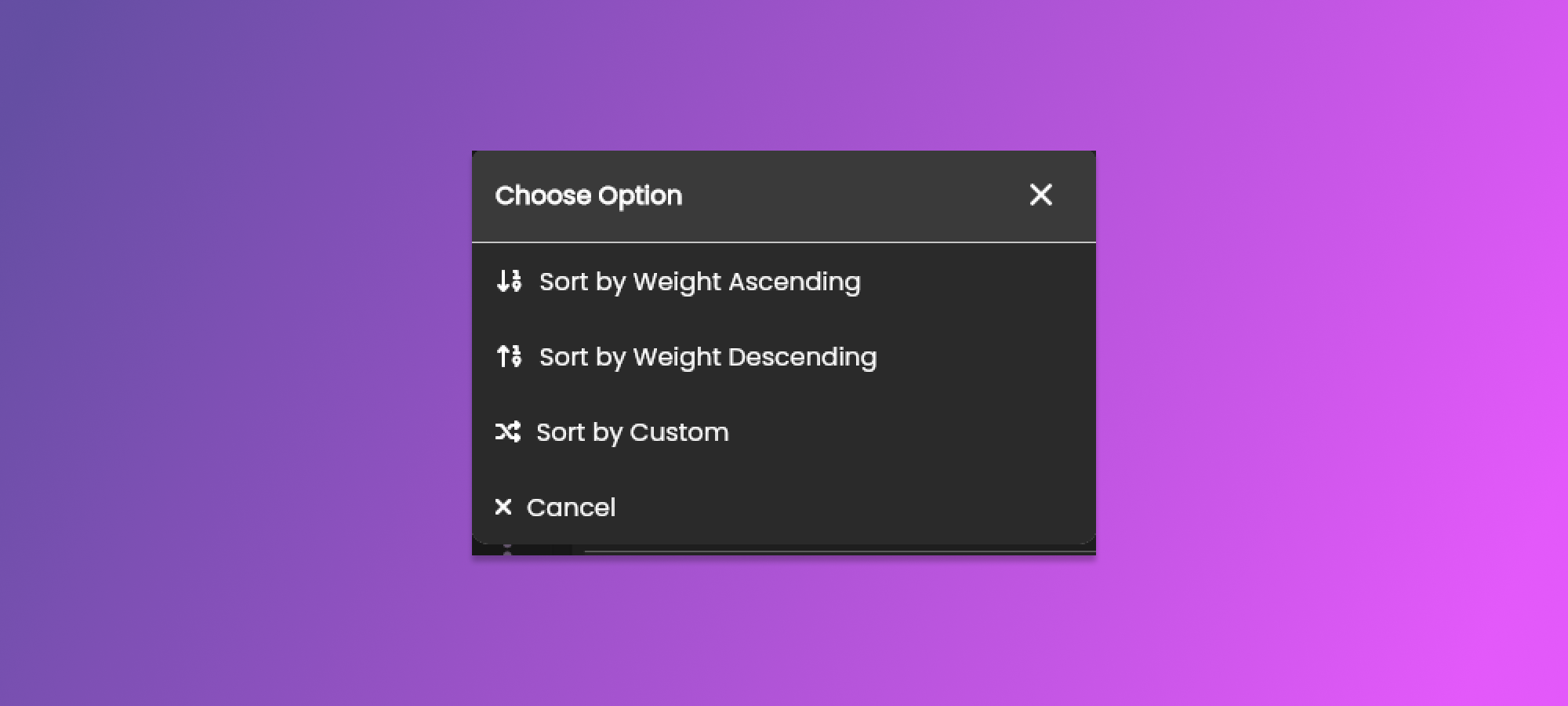
Clicking the button will show the pop-up containing the options for Sorting.
The options for sorting are as follows.
1. Sort by Weight Ascending
* Clicking this option will sort the ingredients by weight in Ascending Order.
2. Sort by Weight Descending
* Clicking this option will sort the ingredients by weight in Descending Order.
3. Sort by Custom
* Clicking this option will show a pop-up. Where ingredients can be arranged as desired.
### Sorting ingredients by Custom
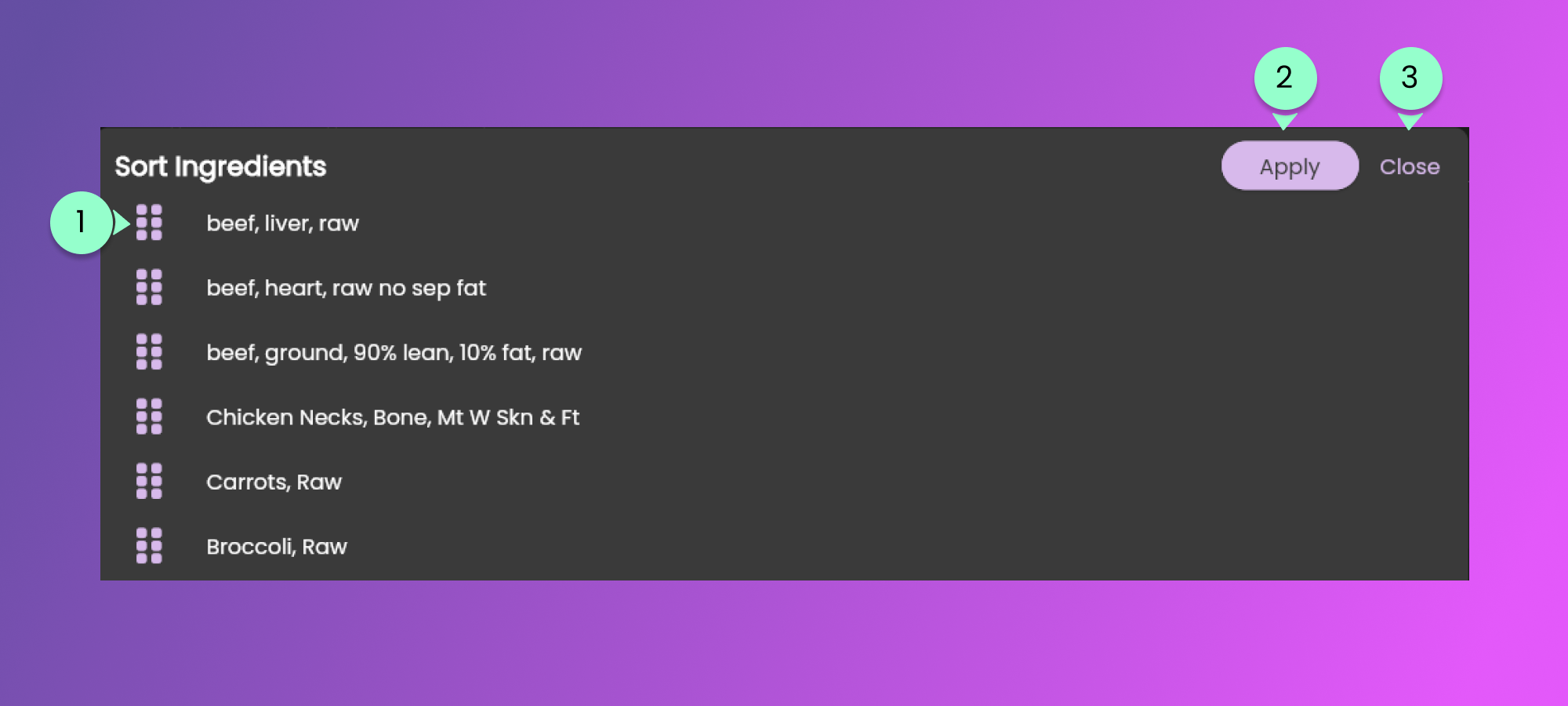
Below is the pop-up that will show when the Sort by Custom option is selected.
1. Grab Icon and Ingredient Name
* Click and drag the row to re-order the ingredients
2. Apply button
* Click to Apply the custom sorting of ingredients
3. Close Button
* Click to disregard the sorting of ingredients.
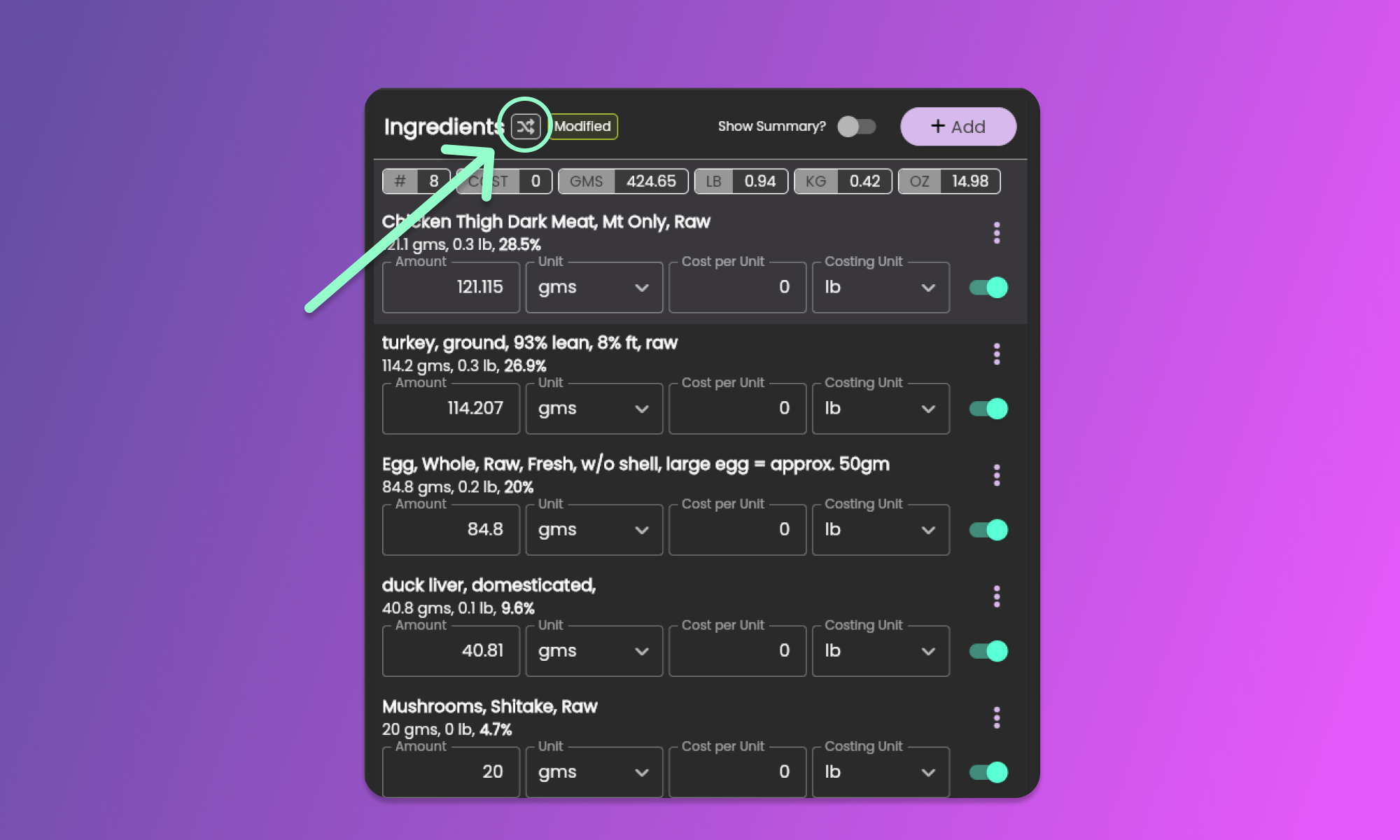
The sort icon in the [Ingredients Section](/animal-diet-formulator/recipes/formulation.md#ingredients-section) indicates the sort type selected.
{% hint style="info" %}
After updating the amount of any ingredient, the sorting of ingredients will automatically change to Custom to avoid movements of ingredients.
{% endhint %}