> For the complete documentation index, see [llms.txt](https://docs.animaldietformulator.com/llms.txt). Markdown versions of documentation pages are available by appending `.md` to page URLs; this page is available as [Markdown](https://docs.animaldietformulator.com/animal-diet-formulator/recipes/caloric-data.md).
# Caloric Data
This tool compares the micronutrient information in the recipe to FEDIAF and/or AAFCO standards.
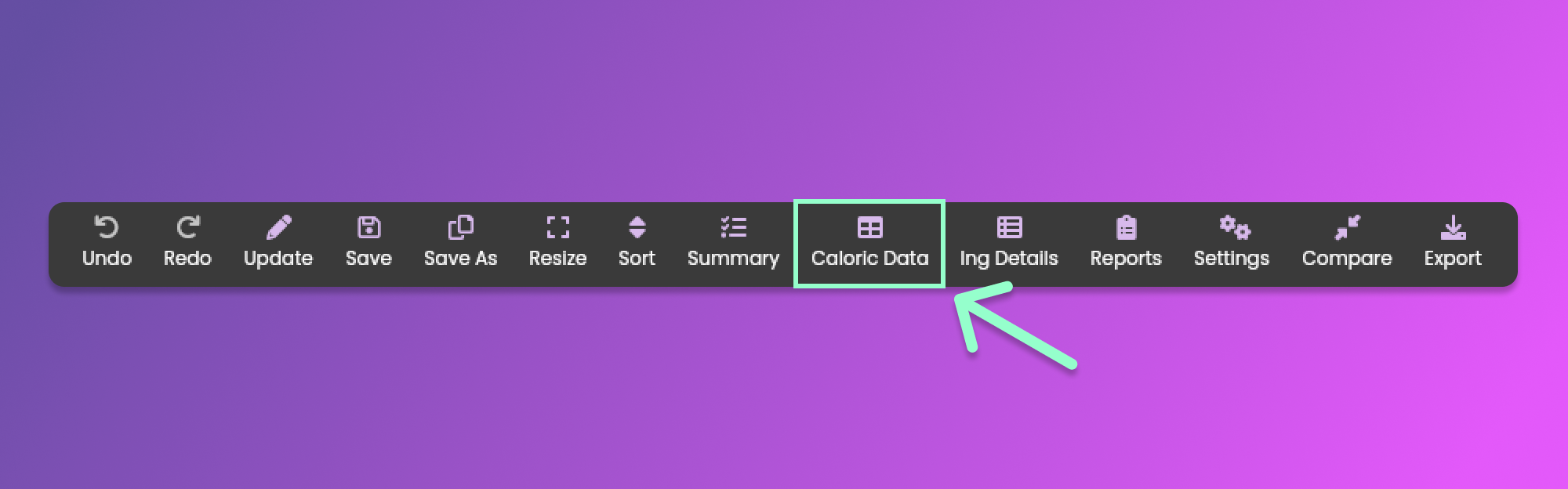
To view the caloric data, click the Caloric Data menu item from the [Formulation Menu](/animal-diet-formulator/recipes/formulation.md#formulation-menu-section) Section.
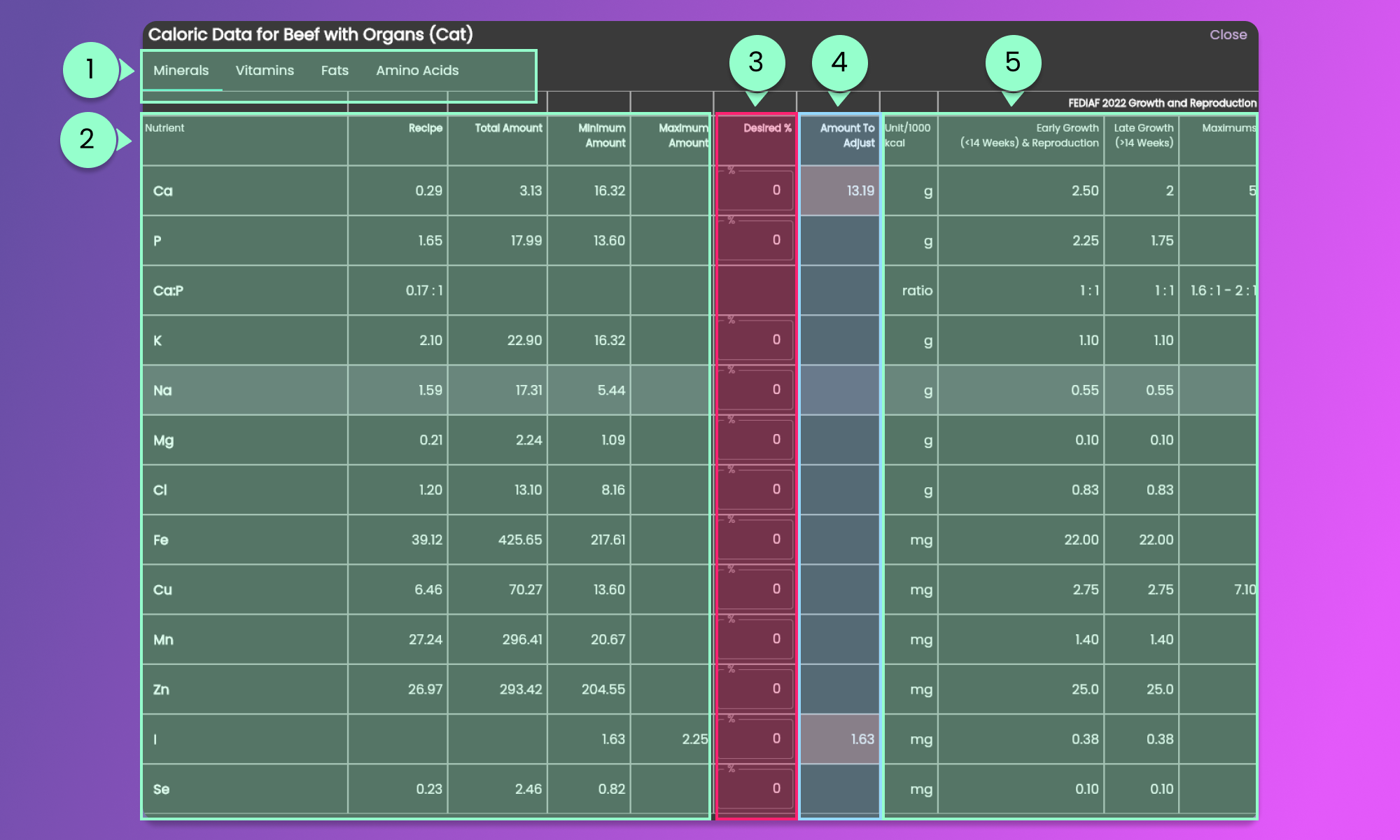
Clicking the button will show the pop-up containing the Caloric Data information. The information contains 5 Sections.
{% hint style="info" %}
Scroll horizontally to view the other columns and scroll vertically to see other nutrients.
{% endhint %}
#### 1. Micronutrients Sections
Click each section tab of micronutrients to view the information for the selected section.
#### 2. Recipe Micronutrients
Check the Micronutrient values in the recipe and in the standards.
Recipe: This column indicates the amount of each nutrient in the recipe per 1000 kcal.
Total Amount: This column indicates the total amount of each nutrient in the entire recipe.
#### 3. Desired Percentage
You can provide a percentage value to adjust the recipe based on the micronutrients. You are also allowed to provide a negative value for the percentage adjustment.
#### 4. Amount to Adjust
These are the values needed to meet the selected standard either AAFCO, FEDIAF or a provided Desired Percentage.
#### 5. Standard Values
Standard values are provided for comparison against recipe values. If you provide a value for the Desired Percentage, an indicator will be added in the [Recipe Nutrients](file:///animal-diet-formulator/recipes/formulation%23nutrients-section) section. Hover over the indicator to view the percentage applied.
If you provide a value for the Desired Percentage, an indicator will be added in the [Recipe Nutrients](/animal-diet-formulator/recipes/formulation.md#nutrients-section) section. Hover your mouse to view the percentage applied.