> For the complete documentation index, see [llms.txt](https://docs.animaldietformulator.com/llms.txt). Markdown versions of documentation pages are available by appending `.md` to page URLs; this page is available as [Markdown](https://docs.animaldietformulator.com/animal-diet-formulator/pet-owners.md).
# Pet Owners
This is where you can manage information for all pet owners or clients.
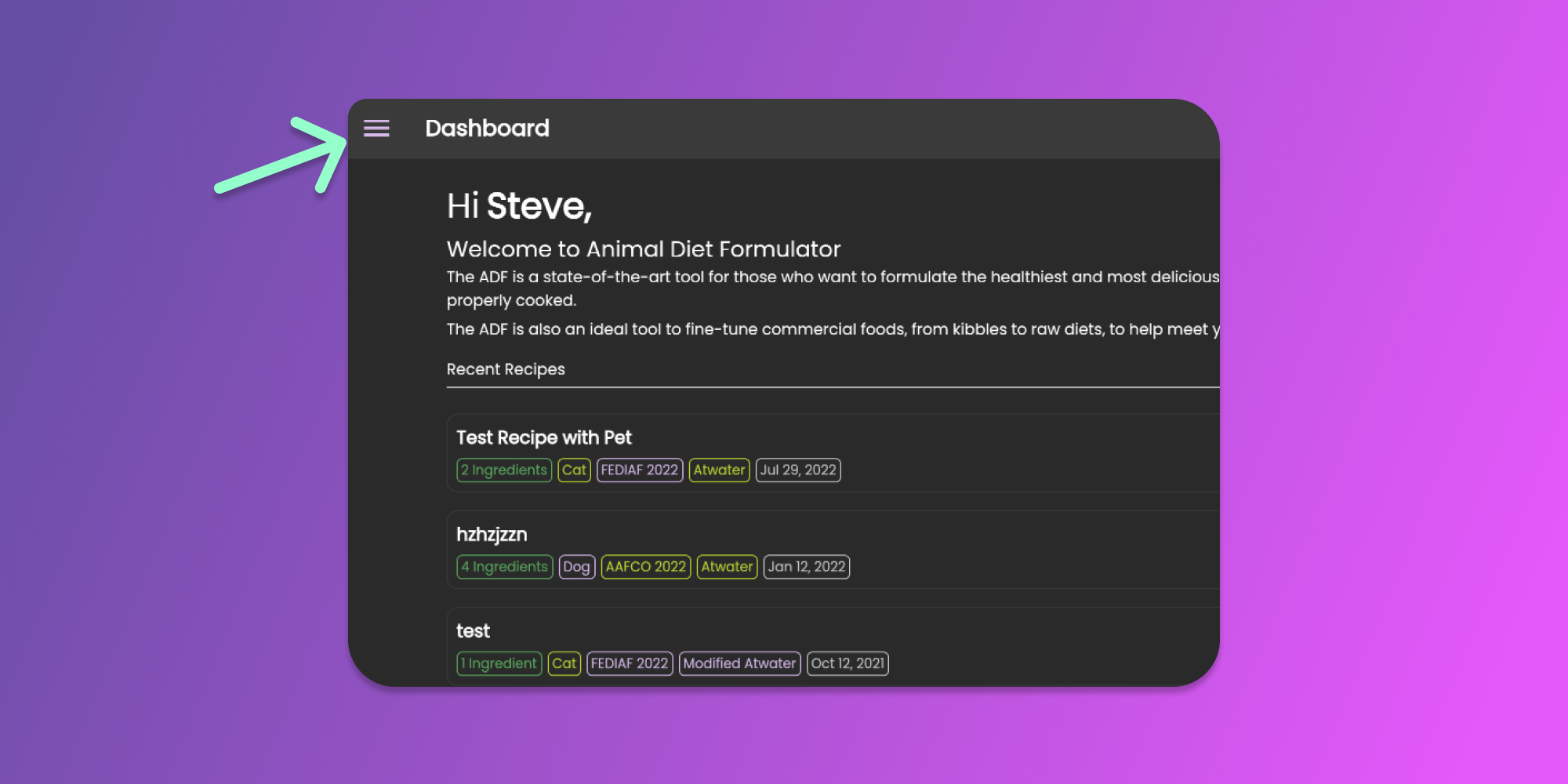
To start managing pet owners, you can go to Main Menu by clicking the similar icon below.
Click to Enlarge
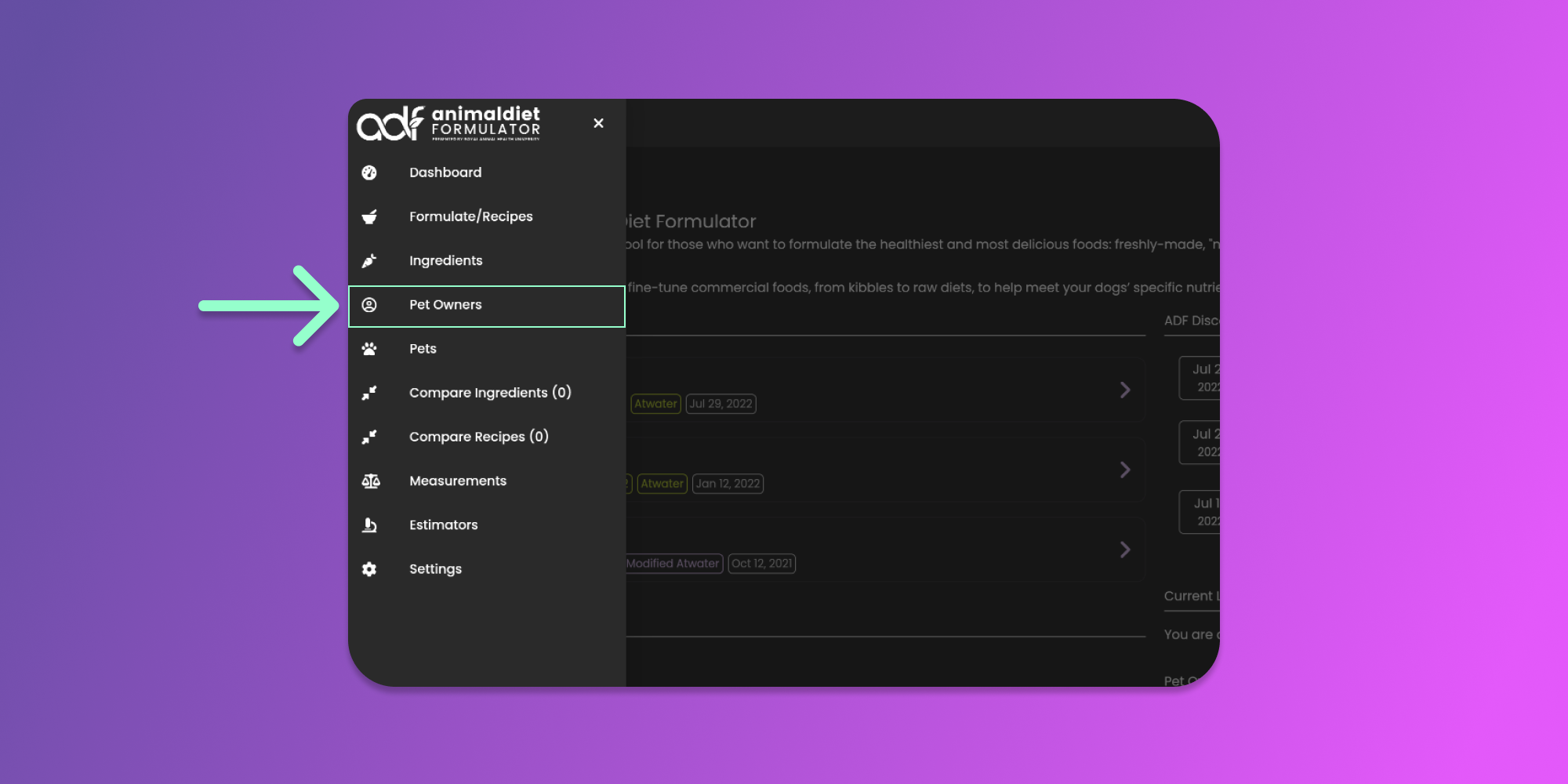
Then click the Pet Owners menu item from the Main Menu.
Click to Enlarge
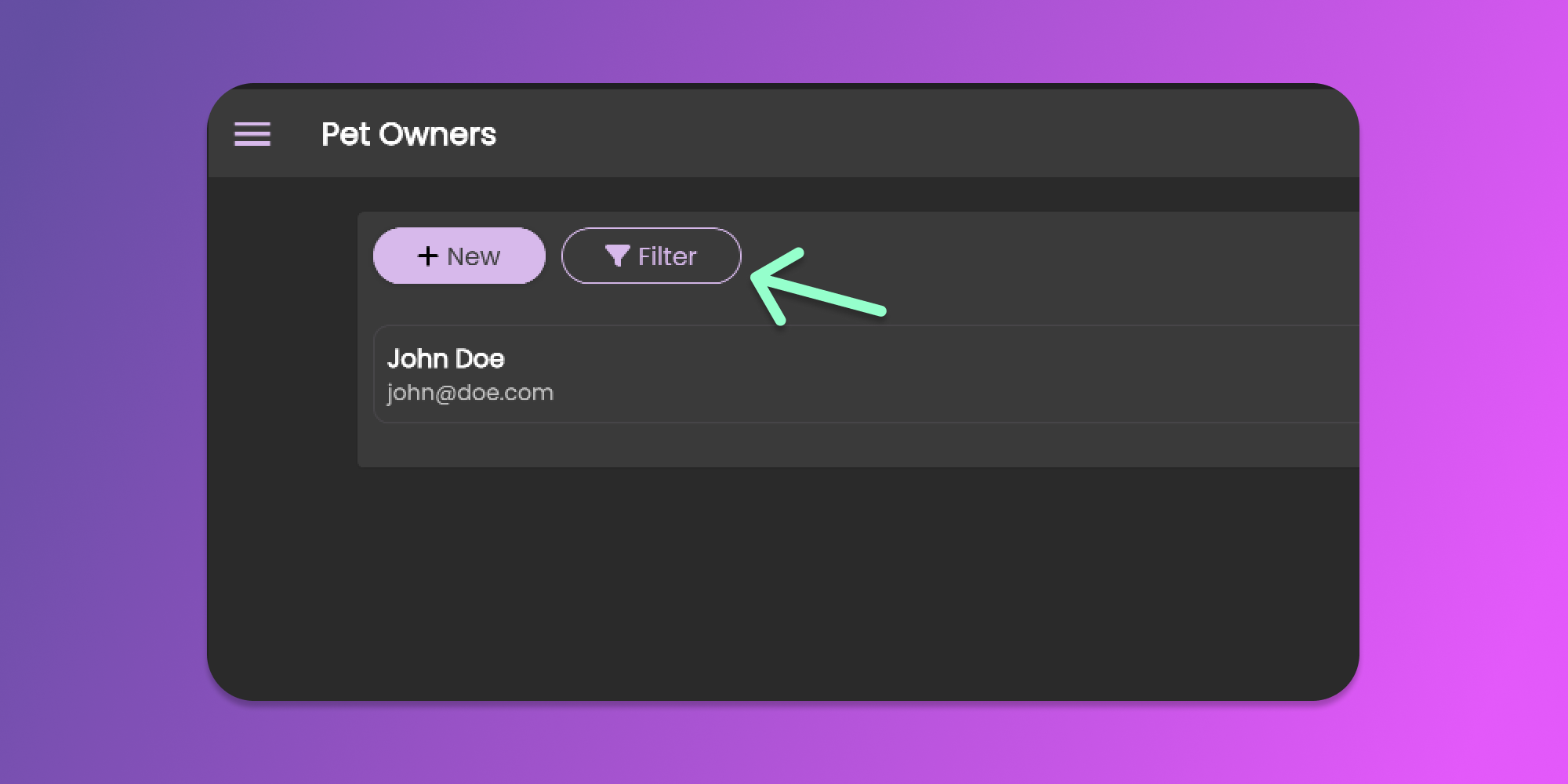
From the Pet Owners page, you can now create, update or delete pet owners. This page also lists all the pet owners you created.
### Filter the Pet Owners
You can utilize the filter feature to search for a pet owner to update or delete. Click the filter button similar to the image below.
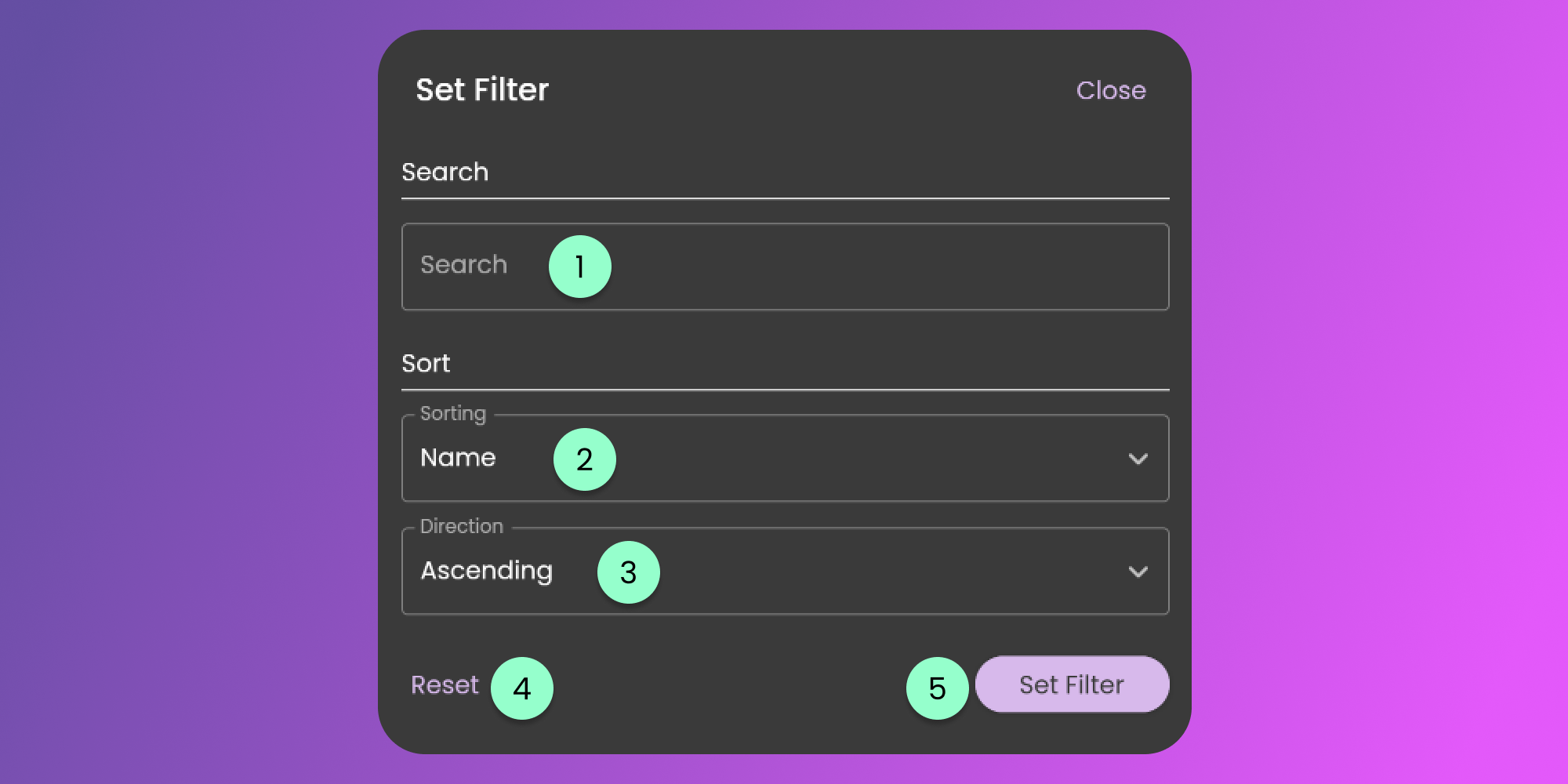
The filter form will be available for you to modify the default filter settings.
The filter form contains the following fields.
1. Search
* this field will look for the term in the first name, last name, email address, and address of the pet owner.
2. Sorting
* Using this sorting, you can sort the items based on the selected field available.
3. Sorting Direction
* This will control the direction of sorting the selected information at the sorting field.
4. Reset
* Clicking this button will reset all the changes made.
5. Set Filter
* Clicking this button will apply the preferred filters.
### Creating Pet Owners
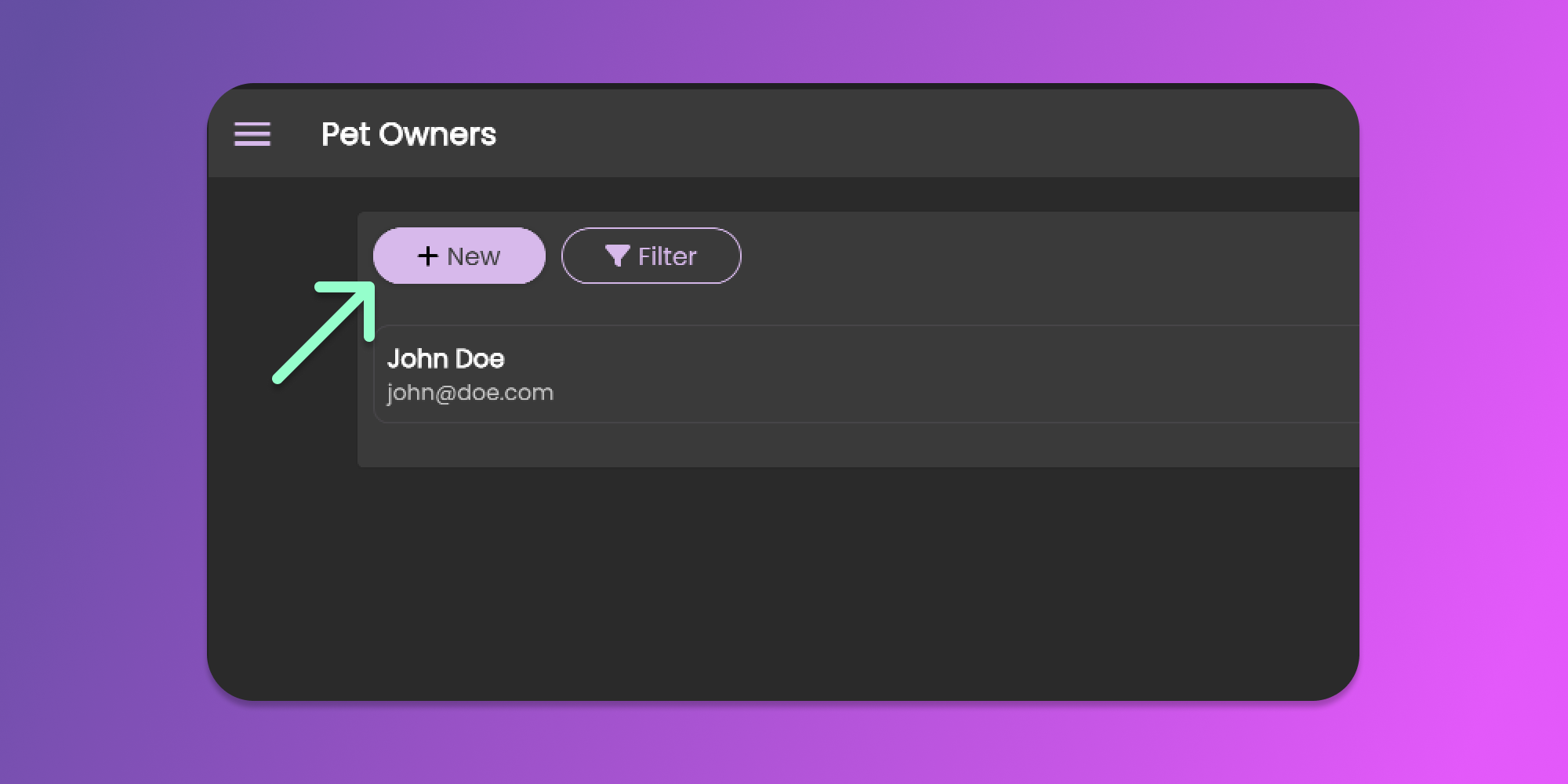
Create a pet owner by clicking the **New** button at the top right corner of the page.
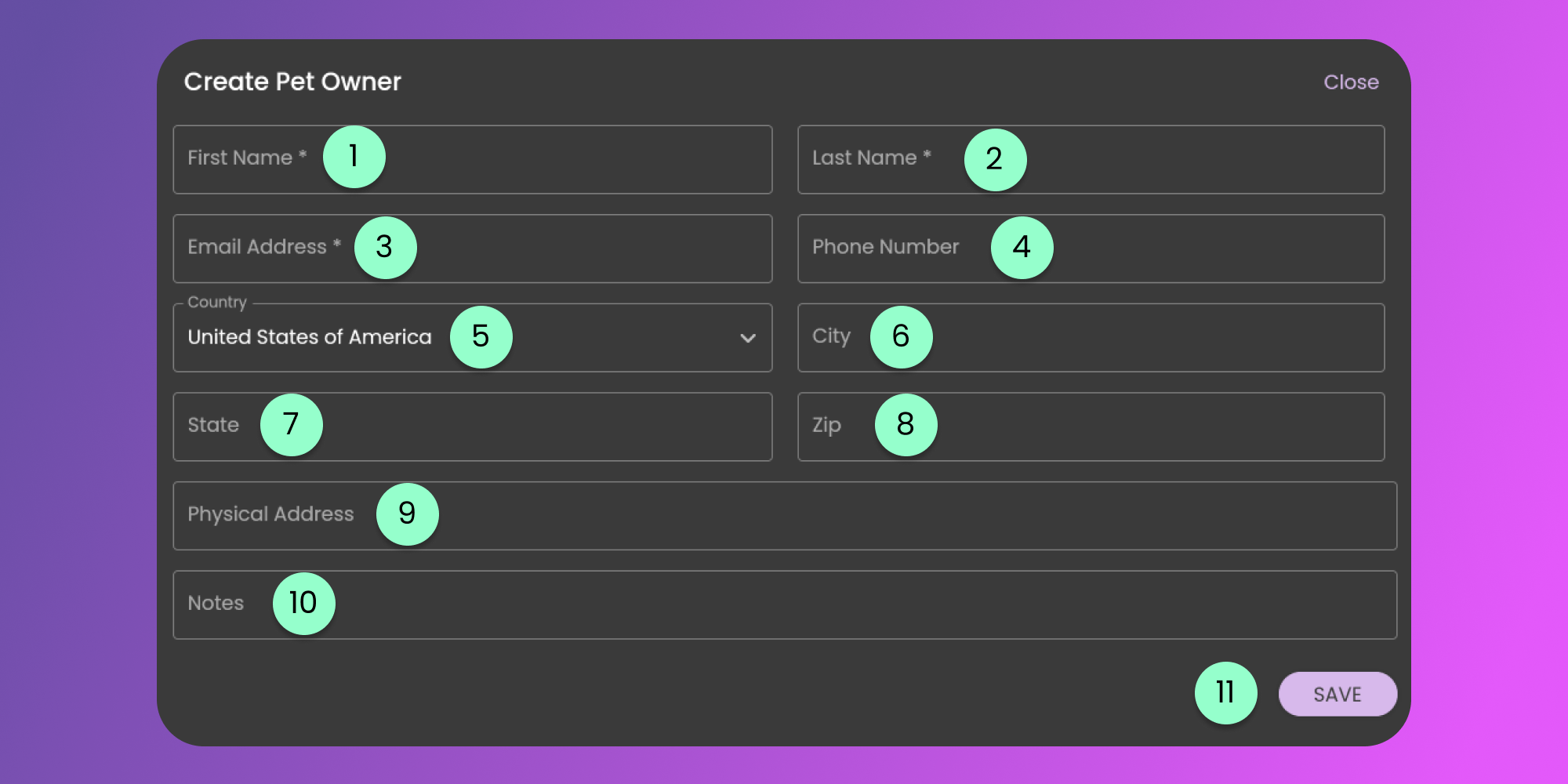
Provide all details indicated in the form below.
1. First Name
* Required. Used to easily identify the user
2. Last Name
* Required. Used to easily identify the user
3. Email Address
* Required. Used as primary identification of the user.
4. Phone Number
* Optional. For your reference only.
5. Country
* Optional. For your reference only.
6. City
* Optional. For your reference only
7. State
* Optional. For your reference only.
8. Zip
* Optional. For your reference only.
9. Physical Address
* Optional. For your reference only.
10. Notes
* Optional. For your additional reference.
11. Save Button
* Click the button to Save the Pet Owner's Details
{% hint style="info" %}
#### Limitation
Please be aware that you are limited in the number of Pet Owners you can create based on your Subscription.
Click [here](https://animaldietformulator.com/formulator/feature-list) to view the comparison of limitations.
You can increase your limit for the number of Pets, Pet Owners, and Recipes. [Click here to learn more](/members-area/product-and-subscriptions/user-limits.md).
{% endhint %}
{% hint style="info" %}
Pet Owners are required for creating Pet Recipes for MPR, Individual, and Professional Version of Animal Diet Formulator. [Learn More](https://animaldietformulator.com/formulator/feature-list)
{% endhint %}
### Updating Pet Owners
To update a pet owner’s information, you need to be on the Pet Owners Page. To go to the pet owners page, follow the steps mentioned [here](/animal-diet-formulator/pet-owners.md).
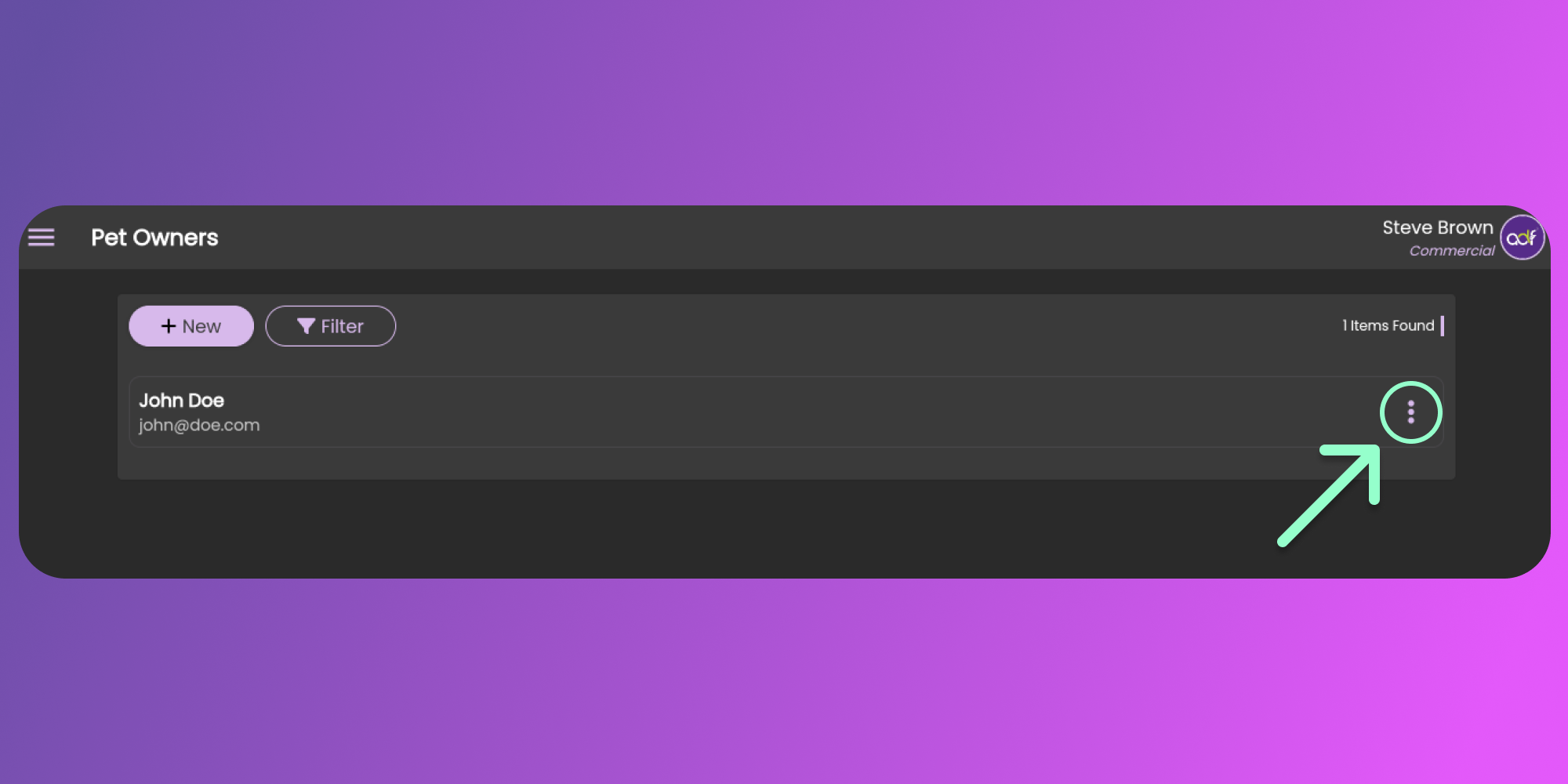
When you are already on the pet owners page, you can see the list of your pet owners. You can click the three horizontal dots icon (known as Item Menu). See the image below.
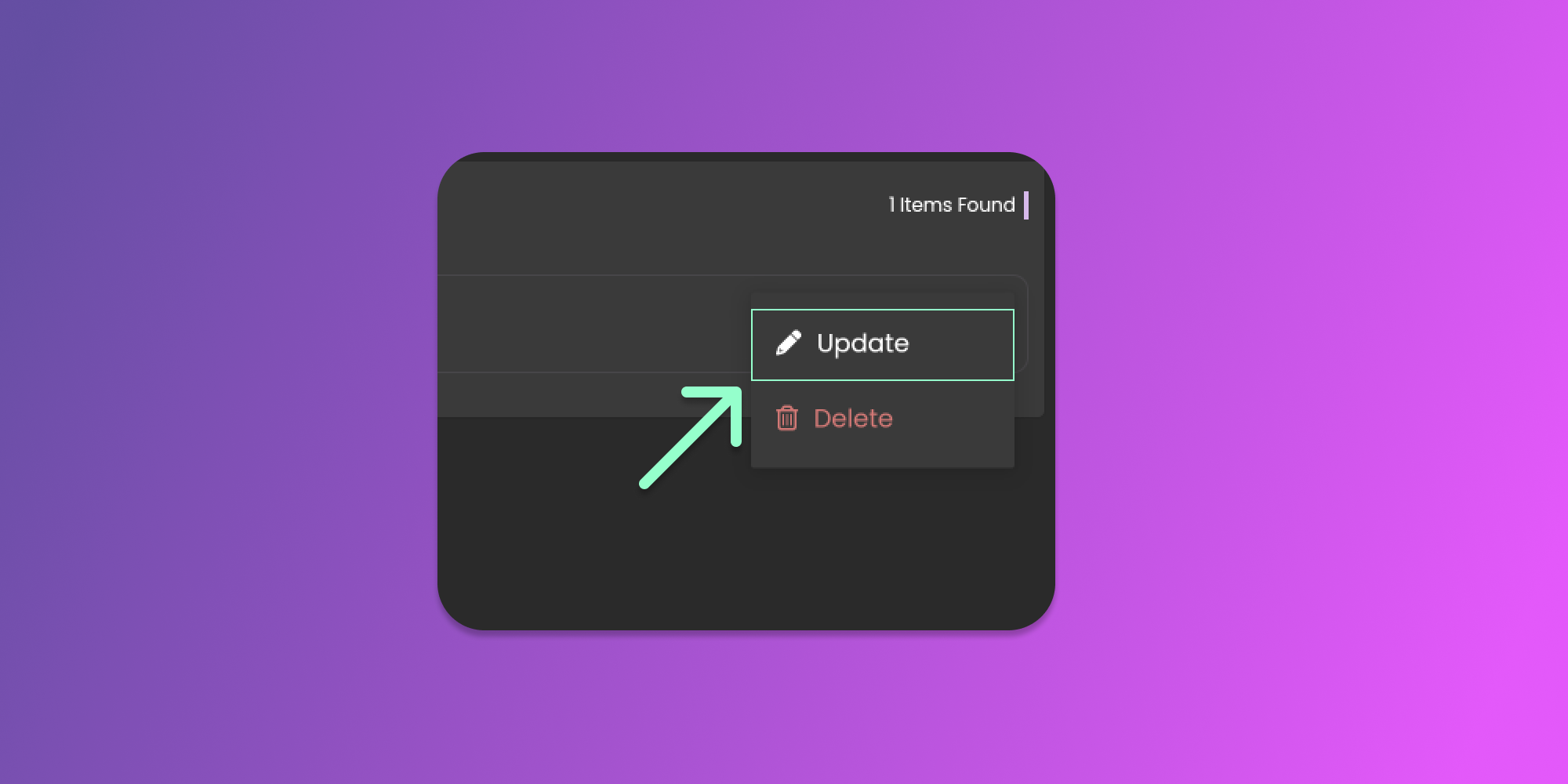
After clicking the horizontal dots icon, you can click the update button to view the form.
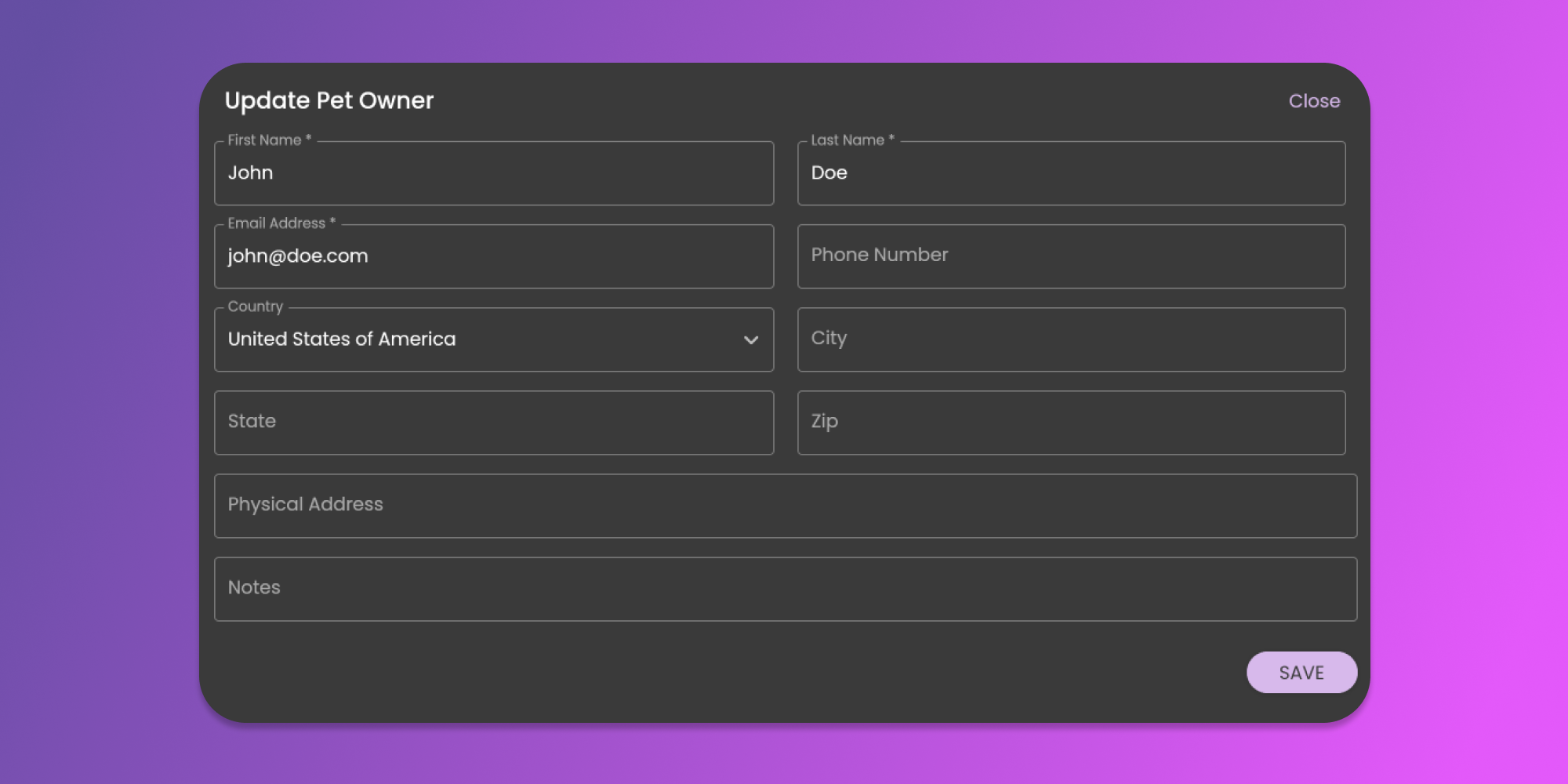
The Pet Owner form will show pre-filled information with the Pet Owner that you want to update. See the image below
After updating the field that you want to modify, click the save button at the bottom right part of the form.
### Deleting Pet Owner
Every Pet Owner you create reduces your remaining reduces your remaining allowed number of Pet Owners. If you are not using a Pet Owner entry, we recommend deleting it.
To perform this action, you need to be on the Pet Owners Page. To go to the pet owners page, follow the steps mentioned [here](/animal-diet-formulator/pet-owners.md).
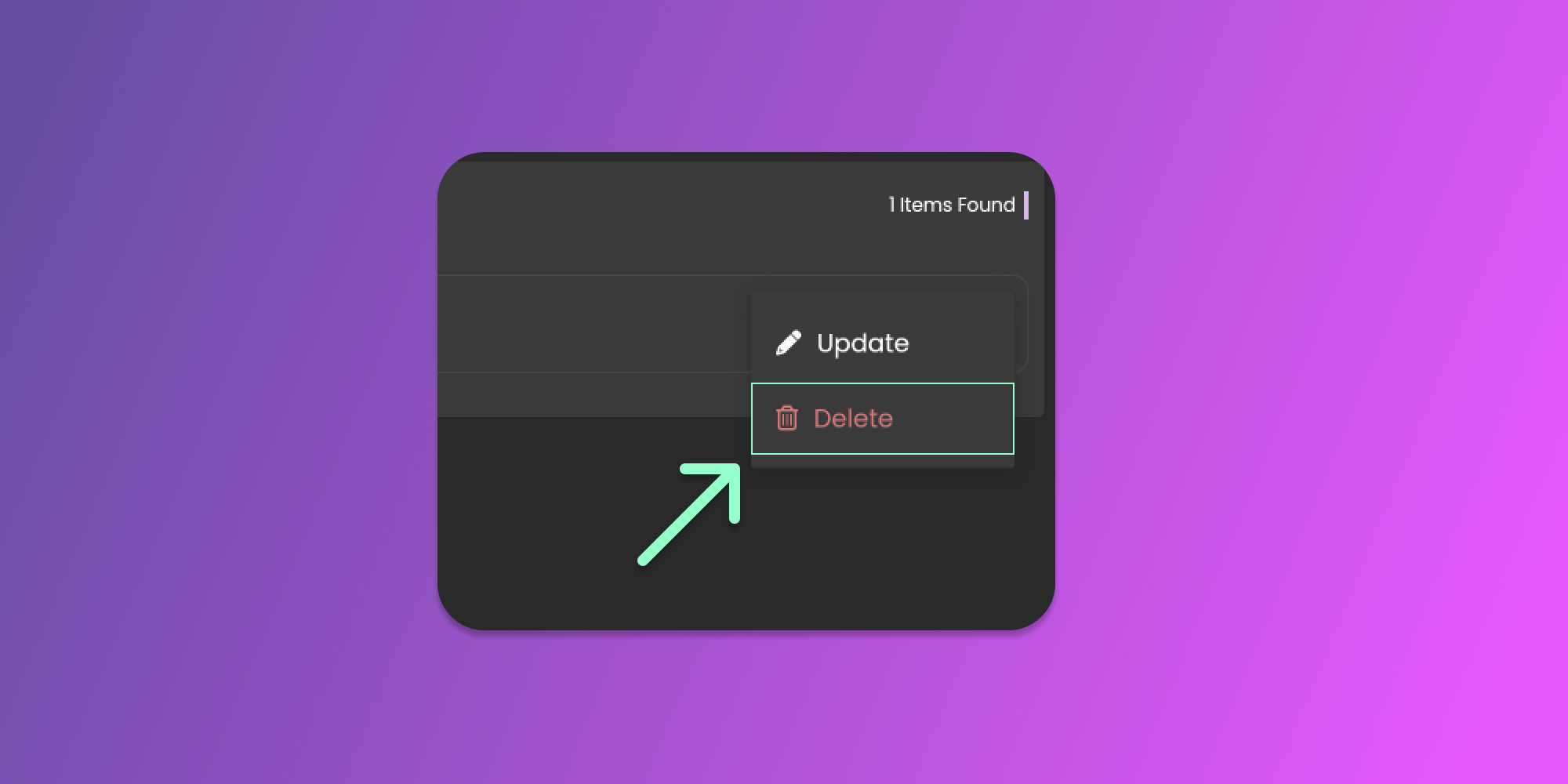
When you are on the pet owners page, you will see the list of your pet owners. You can click the three horizontal dots icon (known as Item Menu). See the image below.

After clicking the horizontal dots icon, you can click the delete button to remove the pet owner.
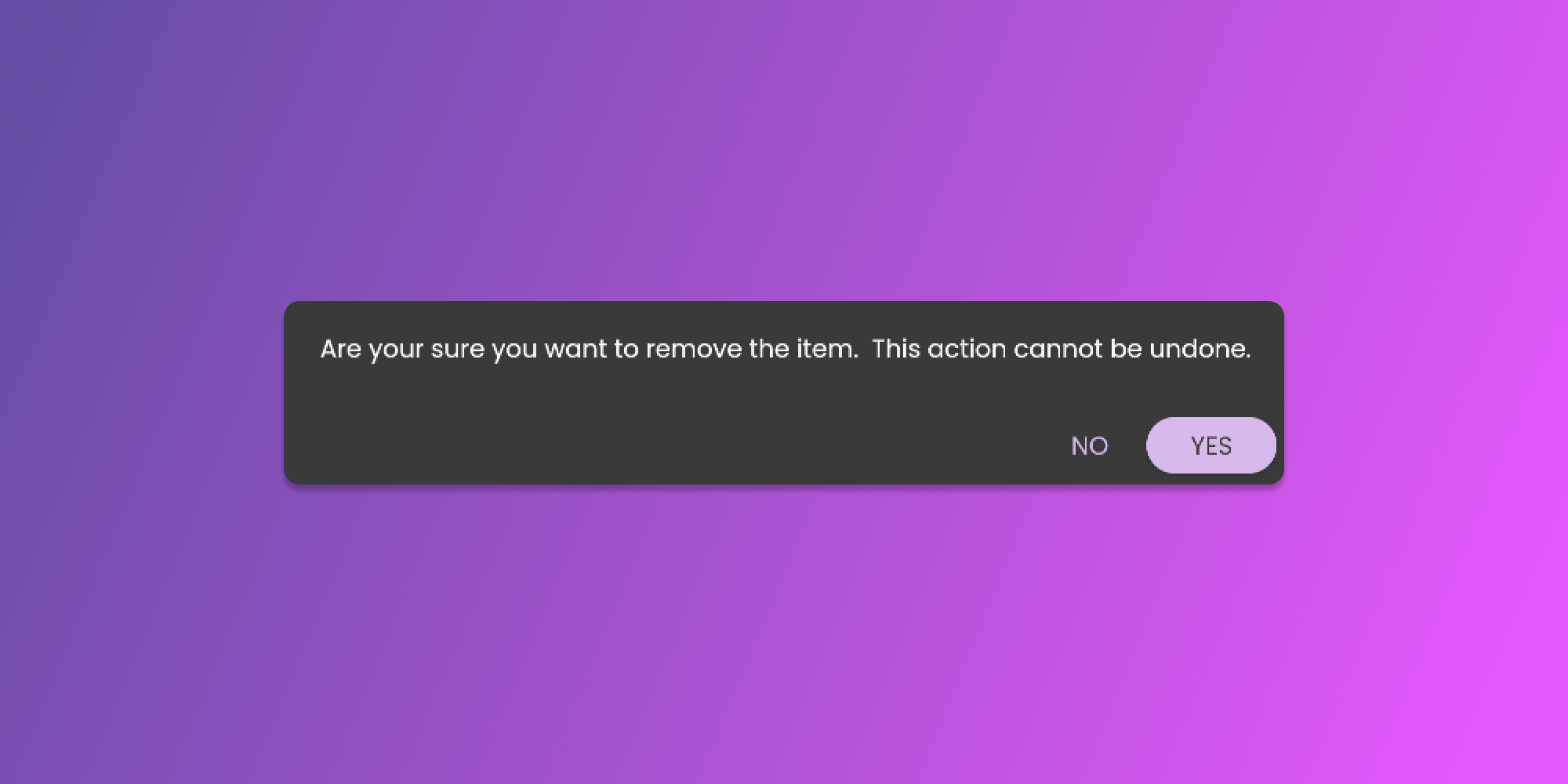
After clicking the delete button, there will be a confirmation pop-up that will require your attention before we remove the pet owner. See the image below.